Example: Logger Name Targeting
This example demonstrates when and how to use setup_logging(logger_name=...) with named logger hierarchies.
When to Use logger_name
Use named targeting when you need:
- Isolated configuration for a subsystem.
- Controlled migration from legacy logging setup.
- Separation between app and library logger behavior.
For many projects, root setup remains the simplest baseline.
Baseline Named Setup
import logging
from azure_functions_logging import get_logger, setup_logging

setup_logging(level=logging.INFO, format="json", logger_name="payments")

payments_api_logger = get_logger("payments.api")
payments_worker_logger = get_logger("payments.worker")
inventory_logger = get_logger("inventory")

payments_api_logger.info("api event")
payments_worker_logger.info("worker event")
inventory_logger.info("inventory event")
What Happens
Expected behavior with this setup:
payments.*hierarchy uses configured pipeline.- Non-descendant loggers may not behave identically unless root is configured too.
Hierarchy Reminder
Logger names are dot-scoped:
paymentsis parent.payments.apiandpayments.workerare children.inventoryis separate hierarchy.
This hierarchy determines propagation and effective configuration.
Practical Pattern: Bounded Migration
If migrating a large app:
- Configure one subsystem with
logger_name="payments". - Move modules under
payments.*names. - Validate output and field quality.
- Expand scope or move to root config later.
Function Example with Named Logger
import azure.functions as func
from azure_functions_logging import JsonFormatter, get_logger, logging_context, setup_logging

setup_logging(functions_formatter=JsonFormatter(), logger_name="payments")
logger = get_logger("payments.http")

app = func.FunctionApp()


@app.route(route="payments")
def payments(req: func.HttpRequest, context: func.Context) -> func.HttpResponse:
    with logging_context(context):
        request_logger = logger.bind(route="/payments", method=req.method)
        request_logger.info("payments request")
        return func.HttpResponse("ok")
In Application Insights
After deploying and requesting /api/payments, query the traces table filtered by logger name. In this deployment the structured JSON stays inside the message column, so we parse it with parse_json(message) — the named-logger identity is preserved in p.logger (see the deployment query guide for the customDimensions-parsed variant).
traces
| where message startswith "{"
| extend p = parse_json(message)
| where tostring(p.logger) == "payments.http"
| project timestamp, logger=tostring(p.logger), route=tostring(p.extra.route), message=tostring(p.message)
| order by timestamp desc
| take 5
Result from a real deployed app — only the targeted payments.* hierarchy appears:
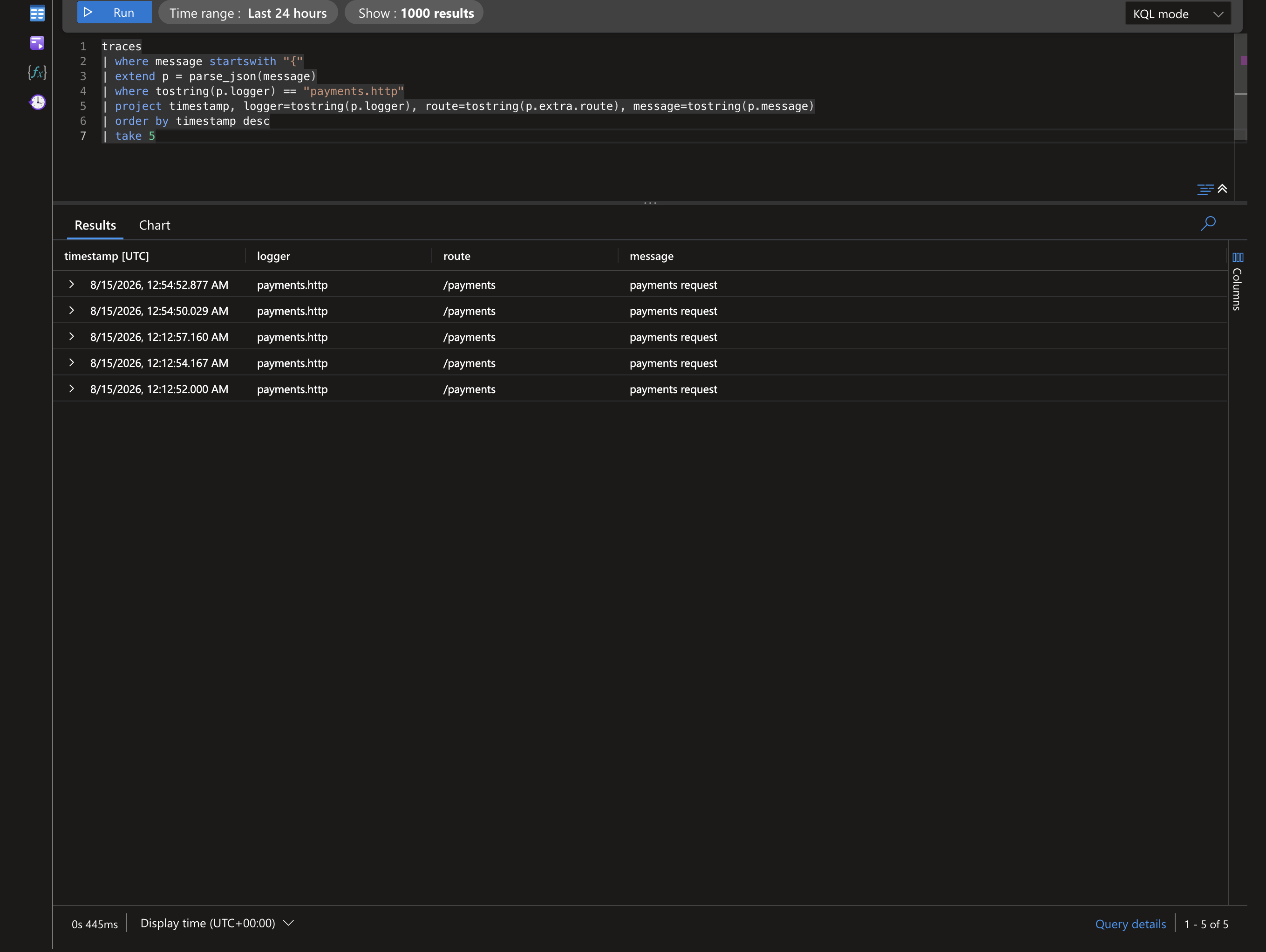
Filtering on p.logger lets you build a dashboard scoped to one subsystem while other hierarchies (e.g. inventory) stay out of view.
If your pipeline parses the JSON into
customDimensionsinstead, dropparse_json(message)and readcustomDimensions.loggerdirectly.
Common Pitfalls
- Mixing unrelated logger names and expecting same behavior.
- Assuming
logger_namesetup reconfigures all existing loggers. - Combining root and named setup without a clear propagation strategy.
Validation Steps
Use these checks after named setup:
- Confirm logger names used by modules.
- Confirm parent-child hierarchy matches expectations.
- Confirm output appears once (no duplicates).
- Confirm context fields appear where expected.
- Confirm non-target hierarchies are intentionally configured.
Root vs Named Decision Guide
Choose root when:
- App is cohesive and single pipeline is acceptable.
- You want simplest setup and minimal cognitive overhead.
Choose named when:
- Multi-service codebase needs staged adoption.
- One domain requires stricter or separate behavior.
- You are migrating legacy logging incrementally.
Example: Dependency Noise Suppression
Even with named setup, standard logger controls still apply:
import logging

logging.getLogger("urllib3").setLevel(logging.WARNING)
logging.getLogger("azure").setLevel(logging.WARNING)