Overview: What is Azure Functions
Azure Functions is a serverless compute service for running event-driven code in Azure.
Instead of managing servers, you define functions that are executed by triggers (such as HTTP requests, queue messages, timers, or events), and Azure manages runtime hosting and scale behavior.
This page summarizes the fundamentals from Microsoft Learn and maps them to decisions you will make in this guide.
flowchart TD
    E[Event Source] --> T[Trigger]
    T --> F[Azure Function]
    B1[Input Binding] --> F
    F --> B2[Output Binding]
    F --> A[Function App]
Portal Walkthrough
These portal blades show a live Azure Functions deployment. PII is masked.
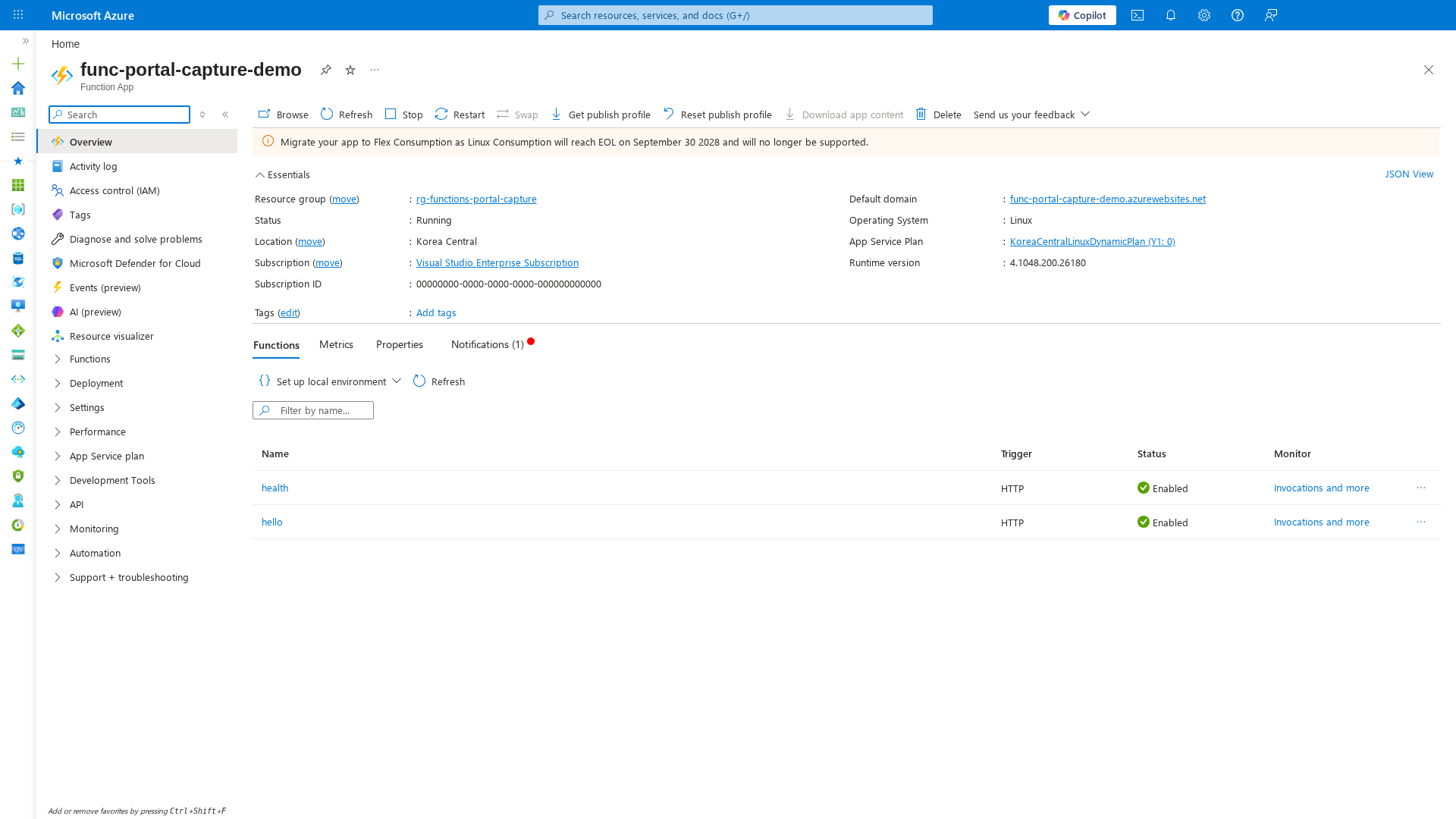
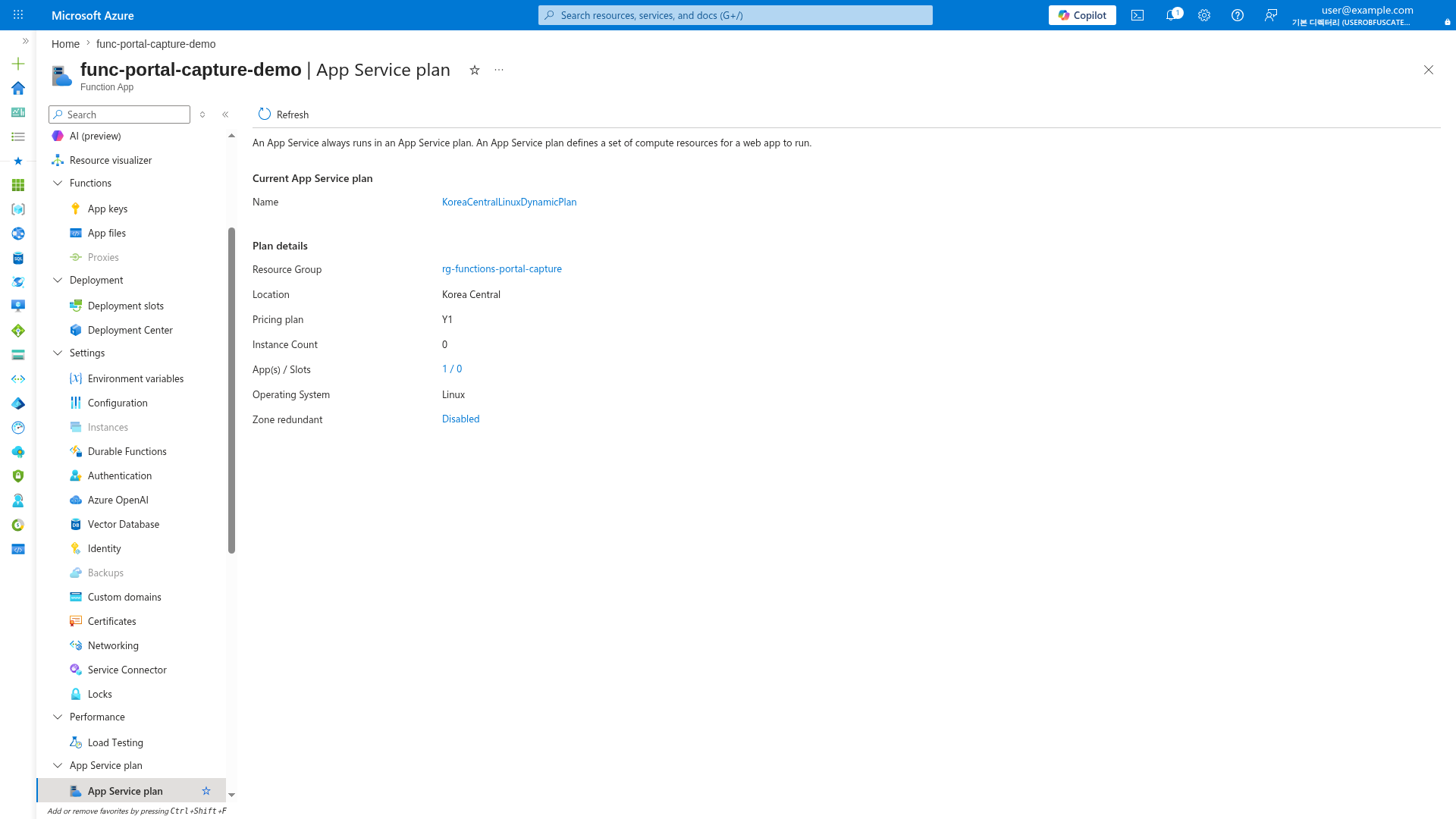
[Observed] The Overview shows two HTTP-triggered functions with Enabled status. The App Service Plan confirms Consumption (Y1) with 0 instances at idle — the defining serverless characteristic.
Core model: serverless + event-driven
Azure Functions is designed for workloads where execution is initiated by events.
At a high level:
- A trigger starts a function execution.
- Input bindings provide data to your function.
- Output bindings send data to target services.
- A function app is the deployment and management unit.
Microsoft Learn references:
Triggers and bindings in practice
Functions requires exactly one trigger per function. Bindings are optional and reduce glue code for common integrations.
Common trigger categories include:
- HTTP and webhooks
- Timer schedules
- Storage (queue/blob)
- Event stream services (Event Hubs, Service Bus, Event Grid)
- Data change triggers (for supported services)
Bindings are declarative integration points for reading/writing data with less plumbing code.
Platform Guide
For trigger architecture and deeper design constraints, see Triggers and Bindings.
Hosting options (what exists)
Azure Functions supports multiple hosting options. In this guide, the core plans are:
- Consumption (Y1) — legacy serverless plan
- Flex Consumption (FC1) — recommended serverless plan for new apps
- Premium (EP) — event-driven scale with always-warm options
- Dedicated (App Service Plan) — fixed-capacity model with manual/autoscale patterns
Microsoft Learn also documents Container Apps hosting for containerized function apps.
Primary comparison:
Important lifecycle note from Learn:
- Consumption is a legacy plan.
- Linux Consumption has retirement milestones.
- New serverless workloads should typically start with Flex Consumption.
Reference:
What Azure Functions is best at
From Microsoft Learn scenarios, Functions is a strong fit for:
- Event ingestion and transformation
- HTTP APIs with bursty traffic
- Queue/event-driven integration pipelines
- Scheduled automation jobs
- Durable orchestrations and long-running workflows (with Durable Functions)
Scenario reference:
When to choose Functions vs other Azure options
Use Azure Functions when:
- You want a code-first, event-driven execution model.
- You want serverless scale behavior or elastic scaling.
- Your workload is composed of discrete handlers rather than a single always-on monolith.
Consider Azure Logic Apps when:
- You need designer-first, connector-heavy workflow orchestration.
- You want low-code process automation with many SaaS connectors.
Consider App Service WebJobs only in narrower cases where existing App Service/WebJobs constraints already fit and you need that control surface.
Comparison reference:
For broader compute trade-offs:
Language and development model
The guide supports these primary languages:
- Python
- Node.js
- .NET
- Java
Each language has a programming model and runtime-specific guidance on Microsoft Learn.
Start here:
Language Guide
For guide-specific implementation flow, see Language Guides.
First decisions to make
Before writing production code, decide:
- Hosting plan (Y1, FC1, EP, Dedicated)
- Trigger model and throughput expectations
- Networking requirements (public only, VNet integration, private access)
- Timeout and execution characteristics
- Deployment path and rollback strategy
Those decisions influence architecture, cost profile, cold-start behavior, and operations complexity.
Recommended next steps
- Choose a guided track in Learning Paths
- Compare plans in Hosting Options
- Use Repository Map to navigate platform, language, operations, and troubleshooting docs
Review Matrix
| Review area | Page-specific check |
|---|---|
| Scope | Confirm the guidance applies to Overview: What is Azure Functions. |
| Source basis | Validate the recommendation against the Microsoft Learn sources in this page. |
| Evidence | Capture command output, portal state, metrics, logs, or screenshots before treating the result as proven. |
See Also
Sources
- Azure Functions overview
- Triggers and bindings
- Azure Functions scale and hosting options
- Consumption plan (legacy)
- Azure Functions scenarios
- Integration and automation platform options
- Choose an Azure compute service
- Python developer guide
- Node.js developer guide
- .NET developer guide
- Java developer guide