Playbooks
Symptom-oriented troubleshooting guides for Azure App Service Linux.
Each playbook follows a hypothesis-driven structure: start from the symptom, list competing hypotheses, collect evidence, validate or disprove, and identify the root cause.
Portal view: Diagnose and solve problems (the symptom-to-playbook entry point)
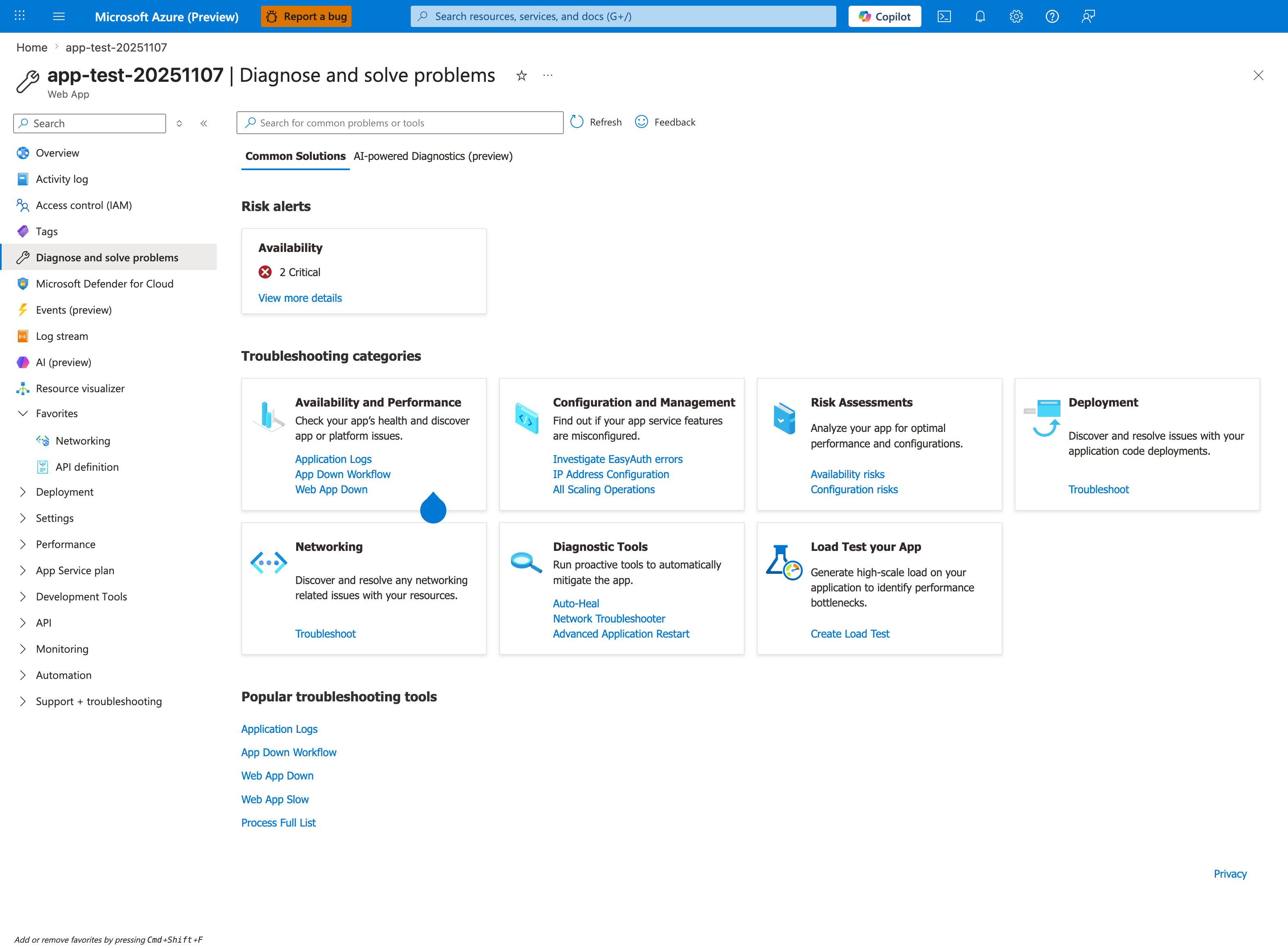
The category cards in this blade map almost 1:1 to the playbook sections below: Availability and Performance maps to Startup/Availability and Performance playbooks, Networking maps to Outbound/Network playbooks, Configuration and Management and Deployment map to Deployment Failures. When a symptom is reported, open this blade first to let Azure surface the most likely detectors, then use this index page to pick the matching playbook for hypothesis-driven validation. Treat detector output as a hypothesis generator (per Detector Map), not a conclusion - every playbook below uses logs + metrics to confirm or refute what the detectors suggest.
graph TD
    A[Reported symptom] --> B{Primary symptom area}
    B --> C[Performance]
    B --> D[Outbound or Network]
    B --> E[Startup or Availability]
    C --> F[Slow response low CPU]
    C --> G[Memory pressure]
    C --> H[Intermittent 5xx]
    C --> I[No space left on device]
    C --> J[Slow start / cold start]
    D --> K[SNAT vs app issue]
    D --> L[DNS resolution VNet]
    D --> M[Private endpoint and DNS routing]
    E --> N[Container HTTP pings]
    E --> O[Warm-up vs health check]
    E --> P[Slot swap warm-up failure]
    E --> Q[Deployment ok but startup fails]
    E --> R[Failed to forward request]
E --> S[Slot swap config drift]Performance
| Playbook | Symptom |
|---|---|
| Performance Degradation | Slow response times, latency spikes, CPU or memory stress |
| Slow Response but Low CPU | High latency with CPU below saturation |
| Memory Pressure & Worker Degradation | Gradual slowdown without CPU spikes |
| Intermittent 5xx Under Load | Sporadic server errors during traffic bursts |
| No Space Left on Device | Disk full errors from /home or /tmp exhaustion |
| Slow Start / Cold Start vs Regression | First request slow after deploy or idle — cold start or real problem? |
Core Platform Playbooks
| Playbook | Symptom |
|---|---|
| Deployment Failures | Failed deployments, slot issues, or swap failures |
| App Startup Failures | Application or container never becomes ready |
| mTLS Failures | Missing client certificate headers, failed validation, or outbound certificate loading issues |
| SSL Certificate Issues | Custom domain TLS binding, renewal, or hostname mismatch problems |
| Authentication Failures | Easy Auth, Entra ID, or identity-related sign-in failures |
| CD RBAC Role Assignment Conflict | RoleAssignmentExists on Deployment Center reconnect with managed-identity ACR pulls |
Outbound / Network
| Playbook | Symptom |
|---|---|
| SNAT or Application Issue? | Intermittent outbound connection failures |
| DNS Resolution (VNet) | Name resolution failures in VNet-integrated apps |
| Private Endpoint / DNS Confusion | Unreachable dependencies despite Private Endpoint |
Startup / Availability
| Playbook | Symptom |
|---|---|
| Container Didn't Respond to HTTP Pings | Site fails to start after container launch |
| Warm-up vs Health Check | Confusion between startup probing and health checks |
| Slot Swap Failed During Warm-up | Swap fails due to warm-up timeout |
| Deployment Succeeded but Startup Failed | Deploy green but app down — startup command or artifact mismatch |
| Failed to Forward Request | Platform proxy cannot reach app container at runtime |
| Slot Swap Config Drift / Restart Race | Swap succeeds but production restarts or config breaks |