Container Binding Errors
Scenario: App starts but is unreachable, or startup fails with bind/listen issues. Data Source: AppServiceConsoleLogs Purpose: Detects log lines related to port binding, listen socket conflicts, and loopback binding mistakes.
graph TD
    A[AppServiceConsoleLogs] -->|Keyword Filter| B[bind / listen / port / EADDRINUSE]
    B --> C[Binding Event Timeline]
    C --> D[Detect Port Mismatch or Conflict]
Run It in the Portal
Portal view: Logs blade (Log Analytics query editor)
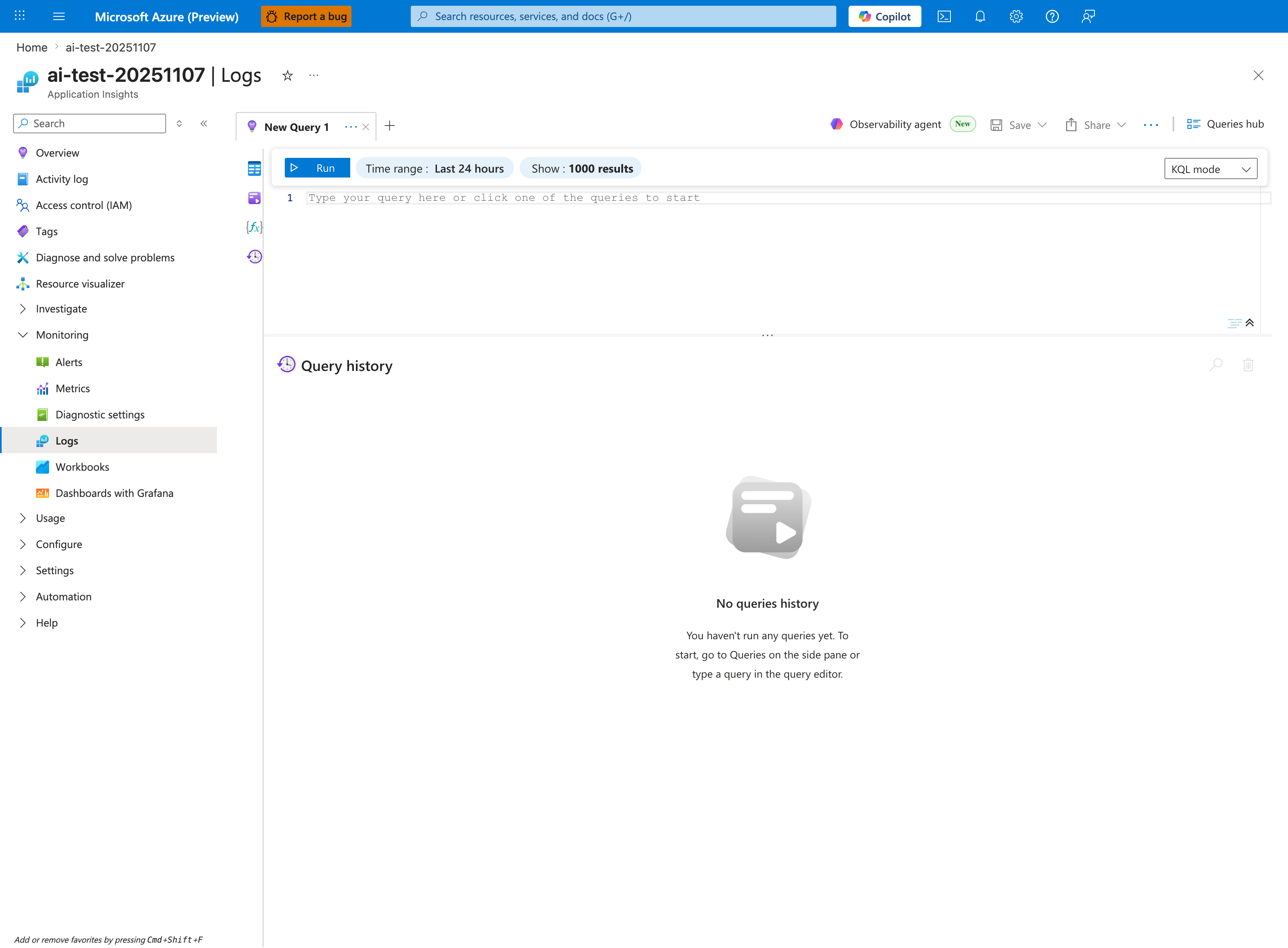
The Logs blade is where the container-binding query below is pasted - this capture shows the Application Insights Logs experience (ai-test-20251107), but the workspace-based Log Analytics blade renders the same New Query 1 tab and Run toolbar. Replace the placeholder Type your query here or click one of the queries to start with the AppServiceConsoleLogs | where ResultDescription has_any ("bind", "listen", ...) block; tighten the inline Time range selector from the default Last 24 hours shown here to Last hour so it matches the ago(1h) filter inside the query. Because the query projects only TimeGenerated and ResultDescription, results render as a two-column tabular grid in the lower pane below the placeholder editor.
Query
AppServiceConsoleLogs
| where TimeGenerated > ago(1h)
| where ResultDescription has_any ("bind", "listen", "port", "address already in use", "EADDRINUSE", "0.0.0.0", "127.0.0.1")
| project TimeGenerated, ResultDescription
| order by TimeGenerated desc
Interpretation Notes
- Normal: listener starts once on expected
0.0.0.0:<port>with no bind conflicts. - Abnormal:
address already in use, repeated bind failures, or logs showing127.0.0.1bind only. - Reading tip: confirm that logged port matches
WEBSITES_PORTand container configuration.
Limitations
- Log message formats vary by runtime/server (Gunicorn, Node, Java, etc.).
- Broad keyword matching can include benign listen information.
- This query cannot validate actual socket state inside the running container.