Kudu API Reference
Quick reference for Kudu (SCM) endpoints used to diagnose and operate Azure App Service apps.
Overview
flowchart TD
    A[Kudu API] --> B[Environment]
    A --> C[Processes]
    A --> D[File System]
    A --> E[Deployments]
    A --> F[Command API]
Base URL and Authentication
Kudu endpoint format:
Use deployment credentials (publishing profile/user-level deployment credentials) with Basic authentication.
Linux custom container caveat
For Linux custom containers, the SCM/Kudu site runs in a separate container from the main app container. Kudu can still help with deployment metadata and shared log locations, but it cannot directly inspect the app container's live filesystem or running processes. Use SSH into the app container or application/container logs for runtime investigation.
KUDU_BASE="https://$APP_NAME.scm.azurewebsites.net"
AUTH_USER="<deployment-user>"
AUTH_PASS="<deployment-password>"
Common Endpoints
All paths below are relative to $KUDU_BASE/api/.
| Endpoint | Method | Purpose |
|---|---|---|
environment | GET | Environment variables and platform metadata |
processes | GET | List running processes |
processes/{id} | GET | Show single process details |
processes/{id} | DELETE | Kill process |
processes/{id}/dump | POST | Generate process dump |
vfs/{path} | GET/PUT/DELETE | File operations in virtual file system |
zip/{path} | GET/PUT | Download/upload folder as ZIP |
deployments | GET | Deployment history |
deployments/latest | GET | Latest deployment metadata |
deployments/{id}/log | GET | Deployment log records |
command | POST | Execute shell command |
settings | GET | Kudu settings (including scmType) |
Process and Environment Queries
List processes
For Linux custom containers, this shows SCM-container processes, not the main app container process list.
Inspect a process
Dump process
Read environment
File System and Logs
Browse persistent storage
For Linux custom containers, treat this as SCM/shared storage inspection, not a full view into the app container filesystem.
Browse logs
Download log file
curl -L -u "$AUTH_USER:$AUTH_PASS" \
  "$KUDU_BASE/api/vfs/LogFiles/application/app.log" \
  --output app.log
Deployment Diagnostics
List deployments
Latest deployment
Deployment logs
Command API
Run command in app root
curl -s -u "$AUTH_USER:$AUTH_PASS" \
  -H "Content-Type: application/json" \
  -d '{"command":"ls -la","dir":"/home/site/wwwroot"}' \
  "$KUDU_BASE/api/command"
Credential safety
Do not commit deployment credentials into source control. Rotate publishing credentials after incidents or suspected exposure.
Frequently Used Paths
| Path | Description |
|---|---|
/home/site/wwwroot | Current deployed site content |
/home/LogFiles | Application, platform, and deployment logs |
/home/data | Persistent data directory |
/tmp | Temporary storage (ephemeral) |
Run It in the Portal
Portal view: Web App Overview blade (Kudu entry point in left nav)
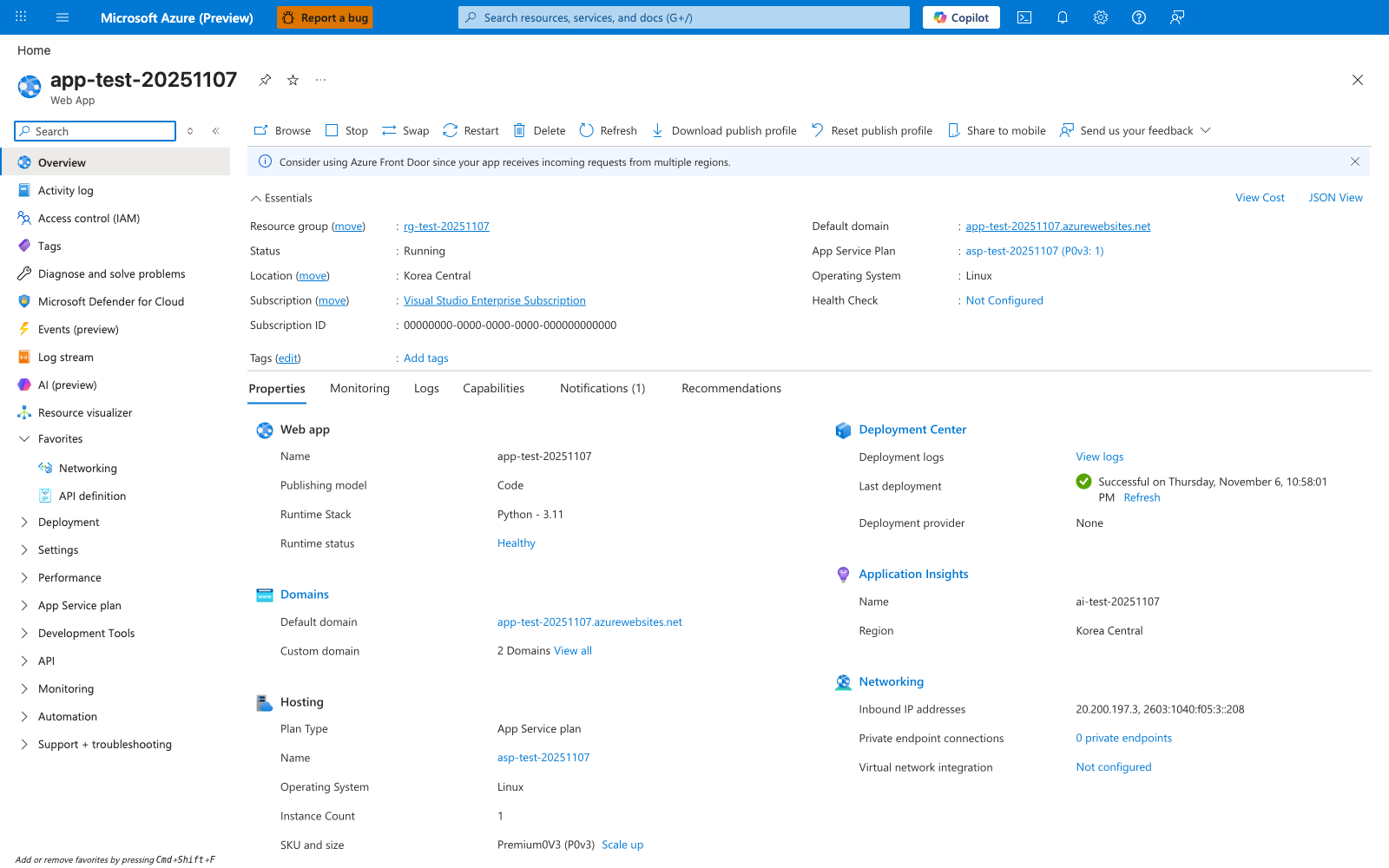
Use this Overview blade to confirm the app identity before switching to the Kudu endpoints in this reference. The visible Default domain shows the app hostname, so the matching SCM hostname for this app is app-test-20251107.scm.azurewebsites.net, and the Properties tab confirms this is a Linux Python - 3.11 code app on asp-test-20251107 (P0v3: 1). The left nav also shows the collapsed Development Tools area associated with Kudu-based diagnostics, and the Deployment Center Last deployment field is a quick portal cross-check when you compare portal state with deployment-history API results. Use this blade as the confirmation point for app, plan, OS, and deployment state before moving into SCM-specific investigation.
See Also
Sources
Language-Specific Details
Kudu endpoint usage is platform-level and shared across stacks. For runtime-specific checks (for example, stack-specific startup artifacts), see: