Security Operations
Protect App Service workloads with layered controls: identity, authentication, transport security, network boundaries, and operational governance. This guide focuses on language-agnostic hardening steps.
Prerequisites
- Existing Web App and App Service Plan
- Azure Entra tenant and permissions for identity/auth configuration
- Security ownership defined for app, platform, and network controls
- Variables set:
RGAPP_NAME
When to Use
Procedure
flowchart TD
    A[Security Operations] --> B[Transport]
    A --> C[Identity]
    A --> D[Network]
    A --> E[Application]
    A --> F[Secrets]
    B --> B1[HTTPS-only]
    B --> B2[TLS 1.2+]
    C --> C1[Managed Identity]
    C --> C2[Platform Auth]
    D --> D1[Access Restrictions]
    D --> D2[Private Endpoints]
    E --> E1[CORS]
    E --> E2[Security Headers]
    F --> F1[Key Vault References]
    F --> F2[Secret Rotation]
Security Baseline Checklist
Apply these baseline controls first:
- HTTPS-only enabled
- Minimum TLS version enforced
- Managed identity enabled
- Access restrictions configured
- Authentication policy chosen (platform and/or app)
- Secrets stored outside application code
Enforce HTTPS and TLS Minimum
az webapp update \
  --resource-group $RG \
  --name $APP_NAME \
  --https-only true \
  --output json

az webapp config set \
  --resource-group $RG \
  --name $APP_NAME \
  --min-tls-version 1.2 \
  --output json
Verify settings:
az webapp show \
  --resource-group $RG \
  --name $APP_NAME \
  --query "{httpsOnly:httpsOnly,state:state}" \
  --output json

az webapp config show \
  --resource-group $RG \
  --name $APP_NAME \
  --query "{minTlsVersion:minTlsVersion,ftpsState:ftpsState}" \
  --output json
Enable System-Assigned Managed Identity
Retrieve principal ID:
az webapp identity show \
  --resource-group $RG \
  --name $APP_NAME \
  --query "{principalId:principalId,tenantId:tenantId,type:type}" \
  --output json
Sample output (PII-masked):
{
  "principalId": "xxxxxxxx-xxxx-xxxx-xxxx-xxxxxxxxxxxx",
  "tenantId": "<tenant-id>",
  "type": "SystemAssigned"
}
Configure Platform Authentication (App Service Auth)
Enable platform authentication with Entra ID:
az webapp auth update \
  --resource-group $RG \
  --name $APP_NAME \
  --enabled true \
  --action LoginWithAzureActiveDirectory \
  --output json
Alternatively configure provider-specific details:
az webapp auth microsoft update \
  --resource-group $RG \
  --name $APP_NAME \
  --client-id "<app-registration-client-id>" \
  --client-secret "<client-secret>" \
  --allowed-audiences "api://<app-registration-client-id>" \
  --output json
Protect client secrets
Never store client secrets in source control or plain-text operational notes. Prefer managed identity and secure secret stores whenever possible.
Portal view: Authentication blade (empty state)
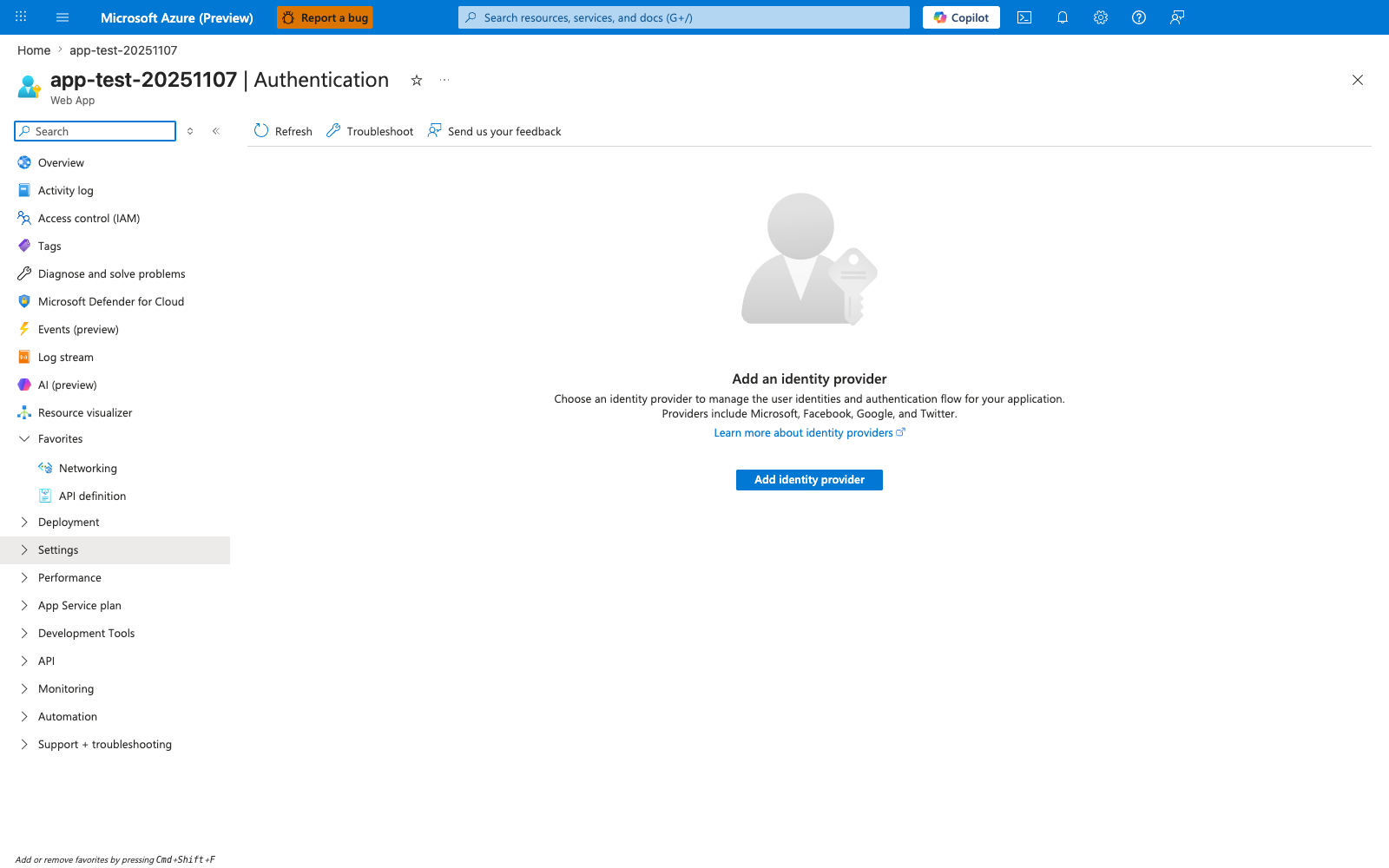
The Authentication blade in its empty state is the visual representation of the gap the az webapp auth update and az webapp auth microsoft update commands above close. When no provider has been configured, the platform performs no token validation at all — every request reaches the application regardless of identity, which is why this empty state should be considered a security finding for any production app that expects authenticated traffic. The Add identity provider button walks through the same provisioning the CLI performs but additionally surfaces app-registration creation, redirect-URI selection, and token-store toggles that are easy to misconfigure when scripted blind. After running the CLI commands above, return to this blade and confirm the empty state has been replaced by a configured provider row — the platform-authentication layer in the defense-in-depth control list further down depends on this Portal surface no longer reading "Add an identity provider".
Restrict Inbound Access by IP or Private Networking
az webapp config access-restriction add \
  --resource-group $RG \
  --name $APP_NAME \
  --rule-name AllowCorp \
  --action Allow \
  --ip-address 203.0.113.0/24 \
  --priority 100 \
  --output json

az webapp config access-restriction add \
  --resource-group $RG \
  --name $APP_NAME \
  --rule-name DenyAll \
  --action Deny \
  --ip-address 0.0.0.0/0 \
  --priority 2147483647 \
  --output json
Secure Secrets and Configuration
Recommended controls:
- Store credentials in secure secret store services
- Use Key Vault references in app settings where possible
- Rotate secrets on a fixed schedule
- Audit secret access and failed retrieval events
Set Key Vault reference style app setting:
az webapp config appsettings set \
  --resource-group $RG \
  --name $APP_NAME \
  --settings "DB_PASSWORD=@Microsoft.KeyVault(SecretUri=https://kv-shared.vault.azure.net/secrets/db-password/)" \
  --output json
Harden Publishing and Administrative Surfaces
Disable insecure FTP where policy requires:
az webapp config set \
  --resource-group $RG \
  --name $APP_NAME \
  --ftps-state Disabled \
  --output json
Prefer deployment through secure CI/CD identities and least privilege RBAC.
Configure CORS
Set allowed origins for cross-origin requests:
az webapp cors add \
  --resource-group $RG \
  --name $APP_NAME \
  --allowed-origins "https://frontend.example.com" "https://admin.example.com" \
  --output json
View current CORS configuration:
Remove a specific origin:
az webapp cors remove \
  --resource-group $RG \
  --name $APP_NAME \
  --allowed-origins "https://old-frontend.example.com" \
  --output json
Avoid wildcard origins with credentials
Setting --allowed-origins "*" allows any origin. When combined with App Service Authentication, this can expose tokens to unauthorized frontends. Always specify explicit origins in production.
Platform CORS vs Application CORS
App Service platform CORS and application-level CORS middleware (e.g., Flask-CORS, Express cors) can conflict. Use one or the other, not both. If the platform handles CORS, disable it in your application code to avoid duplicate headers.
Configure Security Headers
App Service does not set security headers by default. Add them via application code or web.config/custom startup.
Recommended production headers:
| Header | Recommended Value | Purpose |
|---|---|---|
Strict-Transport-Security | max-age=31536000; includeSubDomains | Enforce HTTPS via HSTS |
X-Content-Type-Options | nosniff | Prevent MIME sniffing |
X-Frame-Options | DENY | Prevent clickjacking |
Content-Security-Policy | default-src 'self' | Prevent XSS and injection |
Referrer-Policy | strict-origin-when-cross-origin | Limit referrer leakage |
Permissions-Policy | camera=(), microphone=(), geolocation=() | Restrict browser features |
Verify headers are present:
curl --silent --head "https://$APP_NAME.azurewebsites.net" | grep -iE "(strict-transport|x-content-type|x-frame|content-security|referrer-policy|permissions-policy)"
Where to set headers
On Linux App Service, set headers in your application framework (Flask, Express, Spring, ASP.NET middleware). On Windows, you can also use web.config custom headers. For both, Azure Front Door can inject headers at the edge.
Verification
Authentication and identity:
az webapp auth show \
  --resource-group $RG \
  --name $APP_NAME \
  --output json

az webapp identity show \
  --resource-group $RG \
  --name $APP_NAME \
  --output json
Access restrictions:
Transport checks:
curl --silent --show-error --include "http://$APP_NAME.azurewebsites.net"
curl --silent --show-error --include "https://$APP_NAME.azurewebsites.net"
Expected:
- HTTP redirects to HTTPS
- TLS meets minimum baseline
- unauthorized requests challenged or denied by policy
Rollback / Troubleshooting
Authentication redirect loop
- verify allowed redirect URIs in app registration
- ensure hostnames match custom domain configuration
- confirm authentication policy aligns with reverse proxy setup
Managed identity access denied
- verify role assignments on target resource
- confirm principal ID used in role assignment is current
- allow propagation delay after role changes
Unexpected public access
- review access restriction priorities
- confirm deny-all rule exists
- verify private endpoint DNS resolution path
Advanced Topics
Defense-in-Depth Pattern
Combine:
- private inbound networking
- authentication at platform layer
- authorization in application layer
- managed identity for outbound resource access
- central policy enforcement
Security Operations Cadence
Run periodic activities:
- monthly access review
- quarterly secret rotation verification
- recurring incident simulation for auth/network outage
- security baseline drift report
Policy and Compliance at Scale
Use Azure Policy to enforce controls such as:
- HTTPS-only required
- minimum TLS version
- managed identity required
- diagnostic settings required
Enterprise Considerations
Security posture improves when baseline configuration is enforced by policy and continuously audited, not only documented. Treat configuration drift as a security incident precursor.
Language-Specific Details
For language-specific security patterns and auth integration:
- Python Managed Identity
- Python Easy Auth
- Node.js Managed Identity
- Node.js Easy Auth
- Java Managed Identity
- Java Easy Auth
- .NET Managed Identity
- .NET Easy Auth
See Also
- Operations Index
- Authentication Architecture
- Security Architecture
- Networking
- Health and Recovery
- App Service security overview (Microsoft Learn)
- Authentication and authorization (Microsoft Learn)
- Configure CORS (Microsoft Learn)