Native Dependencies on App Service Linux
Handle Python packages with C/C++ extensions reliably on Azure App Service Linux.
flowchart TD
    A[Select wheel-first packages] --> B[Deploy with Oryx build]
    B --> C{Wheel unavailable?}
    C -- No --> D[Run app normally]
    C -- Yes --> E[Build custom container with system libs]
E --> F[Deploy container and verify native imports]Prerequisites
- Python 3.11 runtime on App Service Linux
pipandrequirements.txtunder source control- Optional custom container path if platform packages are insufficient
Step-by-Step Guide
Step 1: Choose wheel-first dependency strategy
Prefer prebuilt wheels when possible to avoid build failures during deployment.
# requirements.txt examples
psycopg2-binary==2.9.9
Pillow==10.4.0
lxml==5.2.2
cryptography==43.0.0
pandas==2.2.2
numpy==2.0.1
Guidance:
psycopg2-binaryis usually simplest for App Service deployments.- Use
psycopg2only if you need source build/custom OpenSSL/libpq linkage. - Pin versions to known-good wheel availability for your Python version.
Step 2: Add fallback build plan when wheels are unavailable
If deployment logs show source compilation failures, switch to a custom container with OS build dependencies.
FROM python:3.11-slim

RUN apt-get update && apt-get install --yes --no-install-recommends \
    build-essential \
    gcc g++ \
    libpq-dev \
    libjpeg62-turbo-dev zlib1g-dev \
    libxml2-dev libxslt1-dev \
    libssl-dev libffi-dev \
    && rm -rf /var/lib/apt/lists/*

WORKDIR /app
COPY apps/python-flask/requirements.txt ./requirements.txt
RUN pip install --upgrade pip setuptools wheel \
    && pip install --no-cache-dir -r requirements.txt
This example assumes the Docker build context is the repository root. If you build from apps/python-flask/ instead, use COPY requirements.txt ./requirements.txt.
Complete Example
# Optional startup check for native modules
from flask import Flask, jsonify

app = Flask(__name__)


@app.get("/health/native")
def health_native():
    import PIL
    import lxml
    import cryptography
    import pandas
    return jsonify({
        "pillow": PIL.__version__,
        "lxml": lxml.__version__,
        "cryptography": cryptography.__version__,
        "pandas": pandas.__version__
    })
Troubleshooting
error: subprocess-exited-with-errorduringpip install:- Missing compiler or system headers; move to custom container build dependencies.
ImportError: libpq.so.*for PostgreSQL:- Install
libpqruntime libraries or usepsycopg2-binary.
- Install
Pillowimage codec missing:- Add required OS libs (
libjpeg,zlib, optionallibwebp).
- Add required OS libs (
numpy/pandasbuild timeout:- Pin to wheels and avoid source builds on platform runtime.
Advanced Topics
- Prebuild wheels in CI (
pip wheel) and publish to an internal package index. - Use constraints files (
-c constraints.txt) for deterministic dependency resolution. - Track ABI compatibility when upgrading Python minor versions.
Run It in the Portal
Portal view: Log stream blade (verifying native dependencies loaded at runtime)
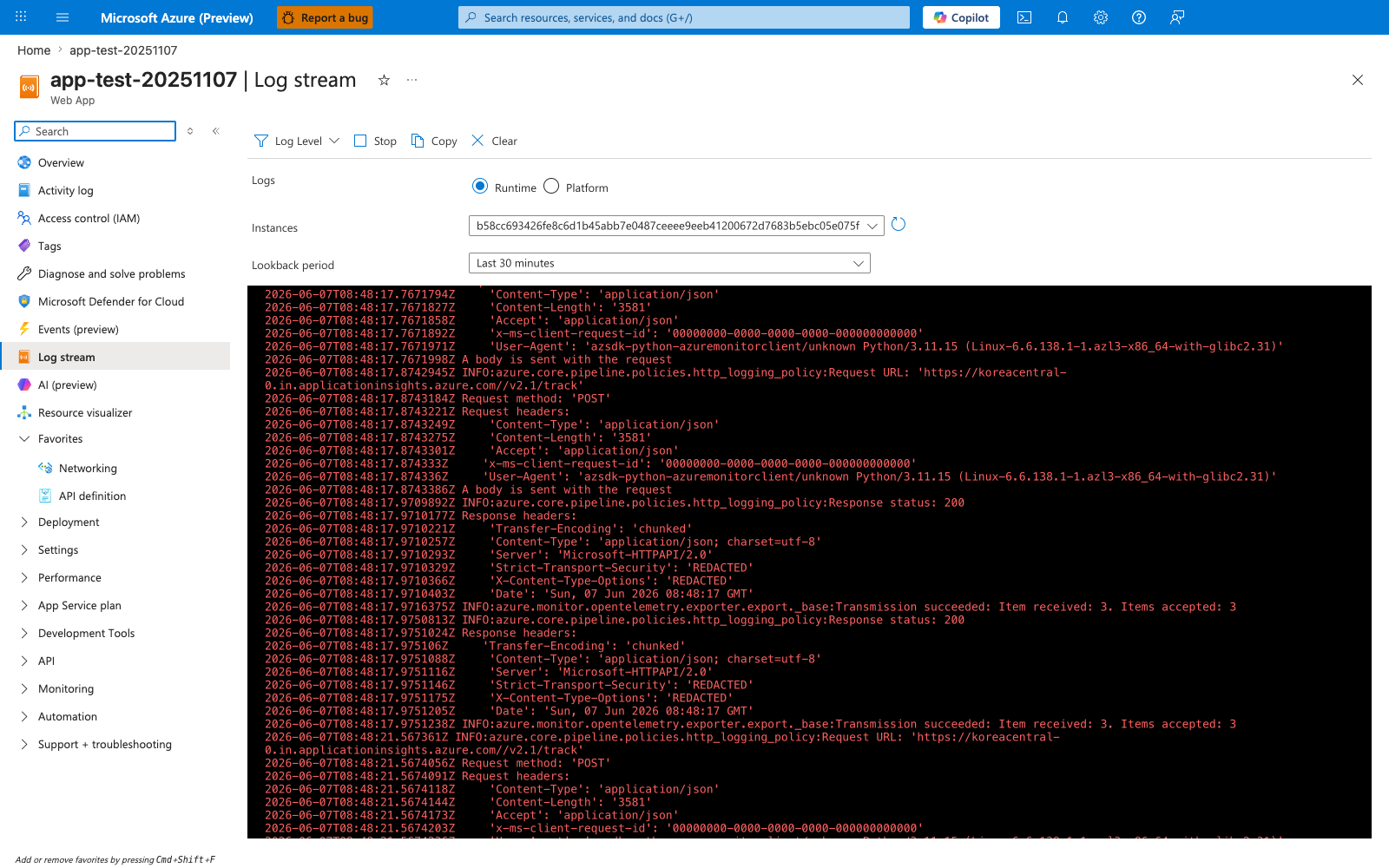
The Log stream blade is the Portal surface for confirming that native Python dependencies installed by this recipe — Pillow system libs, pyodbc ODBC drivers, or lxml headers — loaded correctly during App Service startup. With Runtime selected and lookback set to Last 30 minutes, the live console here shows the same output you would otherwise tail with az webapp log tail, including the import-time errors that surface when a wheel cannot find its system library at runtime. The example feed visible here shows successful OpenTelemetry exporter activity (Transmission succeeded: Item received: 3. Items accepted: 3), which is the kind of healthy-startup signal indicating the Python interpreter loaded and reached the request-handling code without ImportError. Use this blade after the recipe's dependency or custom-container change to verify no native-library failure is logged during the first request after restart.