Key Vault References
Inject secrets directly into App Service environment variables using Key Vault References, while keeping Flask code simple.
Architecture
flowchart TD
    App[App Service platform]
    Setting[Key Vault reference app setting]
    Env[Resolved environment variable]
    MI[Managed Identity]
    KV[(Azure Key Vault)]

    App --> Setting
    App --> Env
    App -.-> MI
    MI -.-> KV
    KV --> Env
Solid arrows show runtime data flow. Dashed arrows show identity and authentication.
Prerequisites
- Managed identity enabled on App Service
- Key Vault with required secrets
- Key Vault RBAC role:
Key Vault Secrets Userfor the app identity
Step-by-Step Guide
Step 1: Configure Key Vault reference app settings
Reference syntax:
@Microsoft.KeyVault(SecretUri=https://<vault-name>.vault.azure.net/secrets/<secret-name>)@Microsoft.KeyVault(VaultName=<vault-name>;SecretName=<secret-name>)
az webapp config appsettings set \
  --resource-group "$RG" \
  --name "$APP_NAME" \
  --settings \
    DB_PASSWORD="@Microsoft.KeyVault(VaultName=<vault-name>;SecretName=db-password)" \
    REDIS_ACCESS_KEY="@Microsoft.KeyVault(SecretUri=https://<vault-name>.vault.azure.net/secrets/redis-access-key)"
Step 2: Read secrets from os.environ in Python
import os
from flask import Flask, jsonify

app = Flask(__name__)


@app.get("/api/config/check")
def config_check():
    db_password = os.environ.get("DB_PASSWORD")
    redis_key = os.environ.get("REDIS_ACCESS_KEY")

    return jsonify({
        "db_password_loaded": bool(db_password),
        "redis_key_loaded": bool(redis_key)
    })
Complete Example
import os
import pyodbc


def build_connection_string() -> str:
    return (
        f"Driver={{{os.environ.get('SQL_DRIVER', 'ODBC Driver 18 for SQL Server')}}};"
        f"Server=tcp:{os.environ['SQL_SERVER']},1433;"
        f"Database={os.environ['SQL_DATABASE']};"
        f"Uid={os.environ['SQL_USER']};"
        f"Pwd={os.environ['DB_PASSWORD']};"
        "Encrypt=yes;TrustServerCertificate=no;"
    )


def connect_with_secret():
    return pyodbc.connect(build_connection_string())
Troubleshooting
- Environment variable contains literal
@Microsoft.KeyVault(...):- Reference resolution failed; verify identity and Key Vault permissions.-
Secret not foundor stale value: - Check secret name/version and remember updates may take time to refresh.- Works in one slot, fails in another:
- Confirm slot-specific app settings and identity assignments.
- Reference resolution failed; verify identity and Key Vault permissions.-
Advanced Topics
- Combine with slot settings to isolate staging vs production secrets.
- Prefer Key Vault References for non-SDK consumers; use SDK + managed identity for dynamic secret operations.
- Rotate secrets in Key Vault without code changes or repo updates.
Run It in the Portal
Portal view: Environment variables blade (Key Vault references surface in App settings)
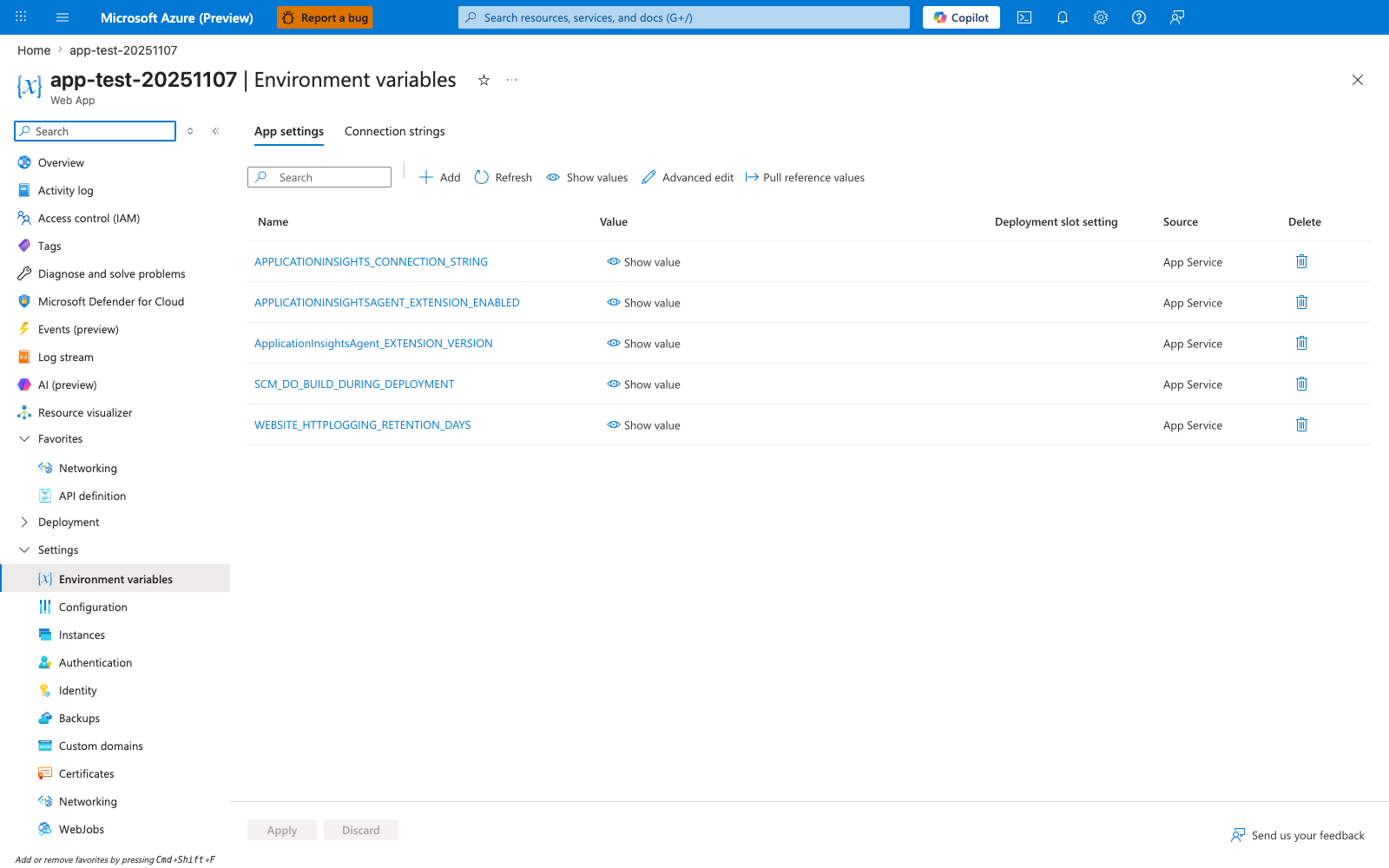
The Environment variables blade with the App settings tab selected is the Portal surface where Key Vault references created by this recipe appear. After running az webapp config appsettings set with values of the form @Microsoft.KeyVault(...), new rows show up alongside the platform-managed entries visible here in the same Name/Value/Deployment slot setting/Source table. The Pull reference values and Refresh actions in the toolbar are the Portal-side controls for re-evaluating reference state, which is useful after granting the app's managed identity access to a vault. Use Show value on a reference row to confirm the resolved secret is returned instead of the literal reference syntax.