Node.js Tutorial Overview
Estimated time: 2–3 hours
This tutorial walks through the full Azure App Service path for a Node.js app, from local validation to custom domain and SSL.
Prerequisites
- Node.js 20+
- npm
- Azure CLI
Tutorial Progression
flowchart TD
    A[01 Local Run] --> B[02 First Deploy]
    B --> C[03 Configuration]
    C --> D[04 Logging & Monitoring]
    D --> E[05 Infrastructure as Code]
    E --> F[06 CI/CD]
F --> G[07 Custom Domain & SSL]Steps
| Step | Tutorial | What you'll do |
|---|---|---|
| 1 | 01. Local Run | Run the app locally and validate App Service-ready defaults |
| 2 | 02. First Deploy | Deploy the app to Azure App Service for the first time |
| 3 | 03. Configuration | Configure app settings, startup behavior, and environment variables |
| 4 | 04. Logging & Monitoring | Enable logs, observe runtime behavior, and verify telemetry |
| 5 | 05. Infrastructure as Code | Provision the App Service resources with repeatable IaC |
| 6 | 06. CI/CD | Automate build and deployment using a pipeline |
| 7 | 07. Custom Domain & SSL | Bind a custom domain and secure it with TLS |
Recommended Reading
Run It in the Portal
Portal view: App Service Web App overview (tutorial destination blade)
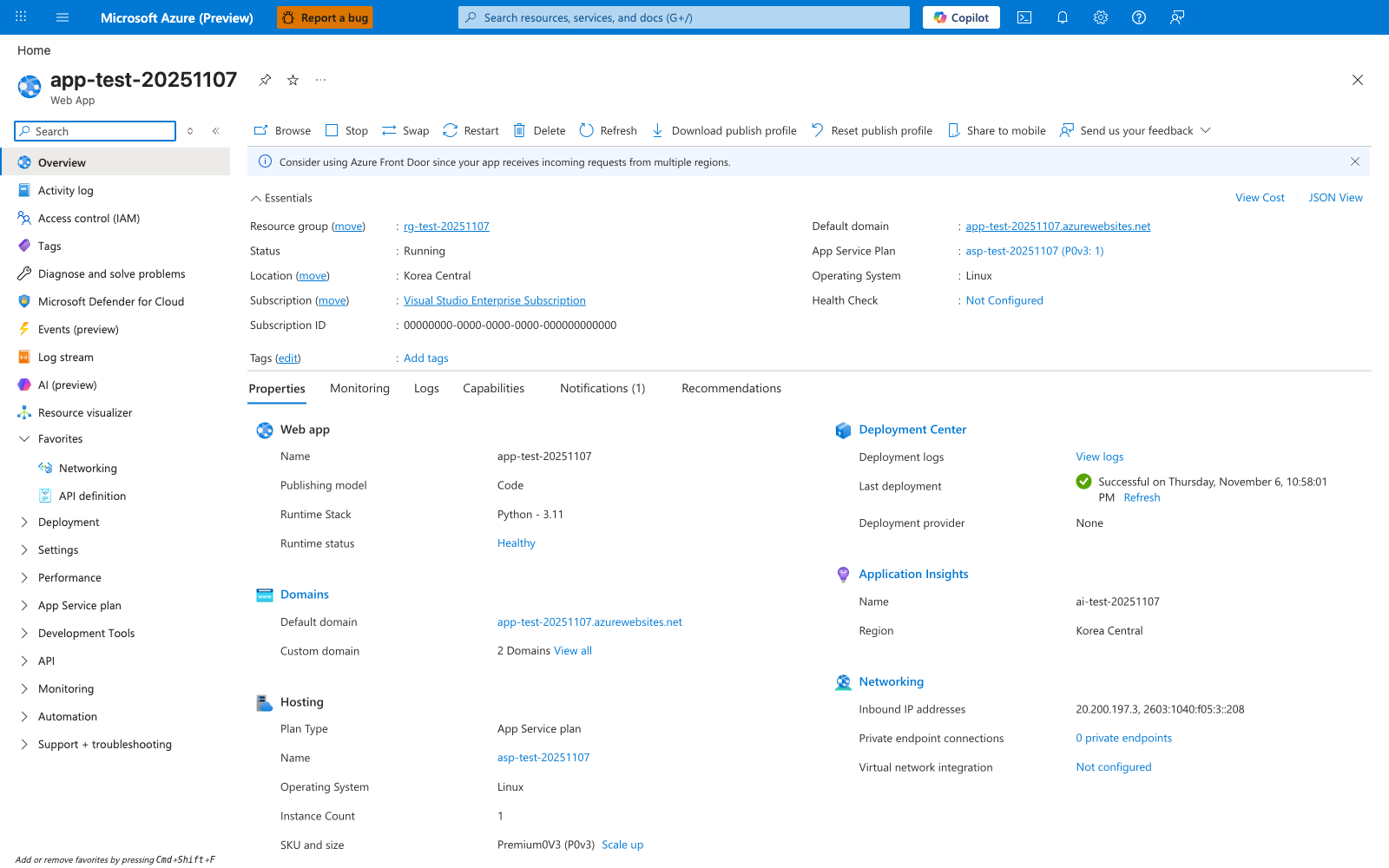
The Web App Overview blade brings the main tutorial state into one visible page. The Essentials panel shows Status: Running, Default domain, App Service Plan: asp-test-20251107 (P0v3: 1), and Operating System: Linux, while the selected Properties tab adds Runtime Stack and Runtime status rows under Web app — the screenshot was captured from a Python deployment, so the visible value is Runtime Stack: Python - 3.11; the same row reports the Node.js stack value for the Express app produced by this tutorial. The same blade also shows hosting, deployment, monitoring, and networking summaries in the Hosting, Deployment Center, Application Insights, and Networking sections. The command bar at the top exposes the visible management actions for the app, including Browse, Stop, Swap, Restart, Delete, and Refresh.