Key Vault References (No Code Changes)
Use App Service Key Vault References to inject secrets into environment variables without changing Spring Boot application code.
sequenceDiagram
    participant APP as App Service App
    participant MI as Managed Identity
    participant KV as Azure Key Vault
    participant SB as Spring Boot
    APP->>KV: Resolve Key Vault Reference using MI
    KV-->>APP: Secret value
    APP->>SB: Inject as environment variable
SB-->>APP: Use in datasource/redis configPrerequisites
- Azure Key Vault with required secrets created
- App Service app with system-assigned managed identity enabled
- Managed identity granted
Key Vault Secrets Useron the vault
Main Content
Why Key Vault References
This pattern keeps secret material out of:
- source code
- CI/CD definitions
- direct App Settings values
App Service resolves the secret value at runtime and exposes it as an environment variable.
Reference syntax
Use the exact App Setting value format:
@Microsoft.KeyVault(SecretUri=https://<vault-name>.vault.azure.net/secrets/<secret-name>/<secret-version>)
You can also omit version for latest secret version resolution.
Set Key Vault Reference via CLI
az webapp config appsettings set \
  --resource-group "$RG" \
  --name "$APP_NAME" \
  --settings \
    DB_PASSWORD="@Microsoft.KeyVault(SecretUri=https://<vault-name>.vault.azure.net/secrets/db-password/)" \
    REDIS_ACCESS_KEY="@Microsoft.KeyVault(SecretUri=https://<vault-name>.vault.azure.net/secrets/redis-key/)" \
  --output json
Grant Key Vault access to app identity
- Get principal ID:
export APP_PRINCIPAL_ID=$(az webapp identity show \
  --resource-group "$RG" \
  --name "$APP_NAME" \
  --query principalId \
  --output tsv)
- Assign role on vault scope:
export KV_ID="/subscriptions/<subscription-id>/resourceGroups/$RG/providers/Microsoft.KeyVault/vaults/<vault-name>"

az role assignment create \
  --assignee-object-id "$APP_PRINCIPAL_ID" \
  --assignee-principal-type ServicePrincipal \
  --role "Key Vault Secrets User" \
  --scope "$KV_ID" \
  --output json
Spring Boot usage (unchanged)
Your app reads DB_PASSWORD or mapped properties as usual:
No Java code changes are required; only App Settings are updated.
Rotation strategy
Recommended rotation flow:
- Create new secret version in Key Vault
- Keep same secret name
- Restart app or wait for reference refresh behavior
- Verify dependent endpoint health
Secret naming
Use predictable environment-scoped names like prod-db-password, stg-db-password to avoid cross-environment confusion.
Key Vault network considerations
If Key Vault is private-only:
- enable VNet integration on App Service
- configure private endpoint + private DNS zone
- validate name resolution from app environment
Reference resolves at platform layer
If identity or network path to Key Vault fails, your app receives unresolved/empty config and may fail startup.
Platform architecture
For platform architecture details, see Platform: How App Service Works.
Verification
- App Setting values show Key Vault reference syntax (not plaintext secret)
- App startup succeeds with required secret-backed settings
- Runtime behavior proves secret was resolved (for example DB/Redis connectivity)
Troubleshooting
Secret reference not resolving
Check managed identity RBAC on Key Vault and confirm secret URI is correct.
Startup failures after secret rotation
Validate secret format/content compatibility with application expectations.
Private Key Vault unreachable
Review VNet integration, private endpoint health, and private DNS linkage.
Run It in the Portal
Portal view: Environment variables blade (Key Vault references surface in App settings)
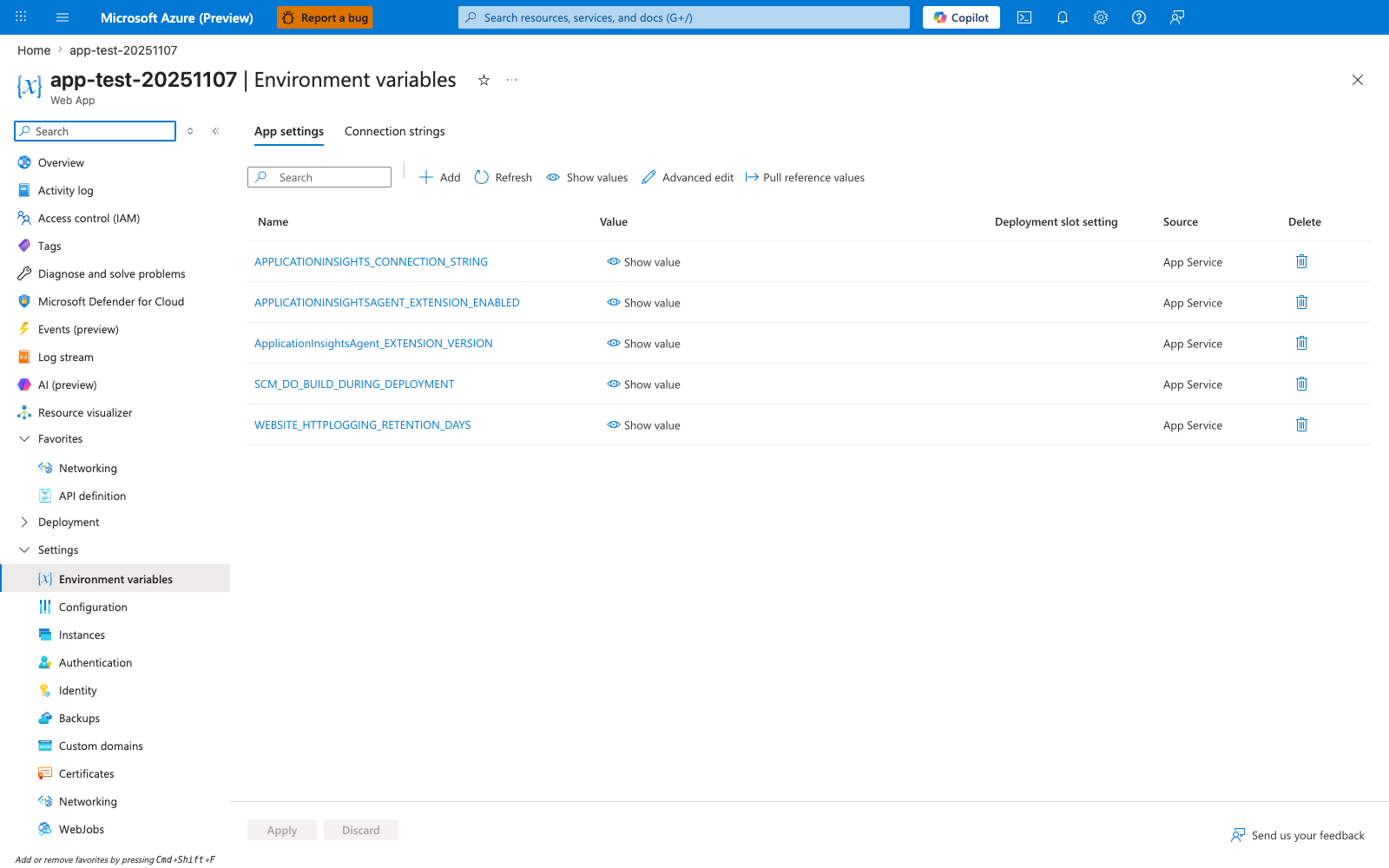
The Environment variables blade with the App settings tab selected is the Portal surface where Key Vault references created by this recipe live. The visible rows here — APPLICATIONINSIGHTS_CONNECTION_STRING, APPLICATIONINSIGHTSAGENT_EXTENSION_ENABLED, ApplicationInsightsAgent_EXTENSION_VERSION, SCM_DO_BUILD_DURING_DEPLOYMENT, and WEBSITE_HTTPLOGGING_RETENTION_DAYS — share the same Name, Value, Deployment slot setting, and Source layout that any @Microsoft.KeyVault(...) app setting uses when added with az webapp config appsettings set. The Pull reference values, Refresh, Show values, and Advanced edit actions in the toolbar are the Portal-side controls available on this blade. Use this view to inspect Key Vault-backed settings alongside the platform-managed entries for the Spring Boot app.