Cosmos DB Integration
Integrate Spring Boot with Azure Cosmos DB for globally distributed, low-latency NoSQL workloads on App Service.
Prerequisites
- Azure Cosmos DB account (SQL API) and database/container provisioned
- App Service app deployed and reachable
- Either key-based connection or managed identity/RBAC strategy defined
Main Content
Reference architecture
flowchart TD
    A[Spring Boot App] --> B[Spring Data Cosmos]
    B --> C[Cosmos DB SQL API]
    A -.optional auth.-> D[Managed Identity + RBAC]
Maven dependencies (pom.xml)
Add Spring Data Cosmos starter:
<dependencies>
  <dependency>
    <groupId>com.azure.spring</groupId>
    <artifactId>spring-cloud-azure-starter-data-cosmos</artifactId>
    <version>5.13.0</version>
  </dependency>
</dependencies>
If you already use the Spring Cloud Azure BOM, align versions via dependency management.
Application configuration (application.properties)
spring.cloud.azure.cosmos.endpoint=https://<cosmos-account>.documents.azure.com:443/
spring.cloud.azure.cosmos.database=<database-name>
spring.cloud.azure.cosmos.key=${COSMOS_KEY:}
spring.cloud.azure.cosmos.populate-query-metrics=true
For production, prefer secret injection via Key Vault Reference or managed identity auth when supported in your stack version.
Create a document model and repository
import com.azure.spring.data.cosmos.core.mapping.Container;
import org.springframework.data.annotation.Id;

@Container(containerName = "orders")
public class OrderDocument {
    @Id
    private String id;
    private String partitionKey;
    private String status;
}
import com.azure.spring.data.cosmos.repository.CosmosRepository;

public interface OrderRepository extends CosmosRepository<OrderDocument, String> {
}
Partitioning guidance
Choose partition keys to balance:
- High cardinality
- Even request distribution
- Query locality for dominant access patterns
Bad partitioning is the most common cause of RU inefficiency.
Configure app settings via Azure CLI
az webapp config appsettings set \
  --resource-group "$RG" \
  --name "$APP_NAME" \
  --settings \
    SPRING_CLOUD_AZURE_COSMOS_ENDPOINT="https://<cosmos-account>.documents.azure.com:443/" \
    SPRING_CLOUD_AZURE_COSMOS_DATABASE="<database-name>" \
    COSMOS_KEY="<redacted>" \
  --output json
Secret handling
Do not hardcode Cosmos keys in source. Store in Key Vault and reference from App Settings in production.
Add a lightweight connectivity endpoint
@GetMapping("/api/cosmos/ping")
public Map<String, Object> cosmosPing(OrderRepository repository) {
    long count = repository.count();
    return Map.of("status", "ok", "documentCount", count);
}
Throughput and consistency choices
- Throughput: start with autoscale RU for variable traffic
- Consistency: Session is usually a strong balance for web apps
- TTL: use for ephemeral document classes when appropriate
Model for queries, not joins
Design Cosmos documents around read patterns to avoid cross-partition fan-out and expensive server-side filtering.
Platform architecture
For platform architecture details, see Platform: How App Service Works.
Verification
- Deploy updated app with Cosmos dependencies
- Call
/api/cosmos/pingand confirm successful count/query - Check Cosmos metrics for request units and latency
Troubleshooting
403 Forbidden from Cosmos
Validate key correctness or RBAC assignment scope, and verify account endpoint matches the configured region/account.
High RU consumption
Review partition key choice and query filters; avoid unbounded scans.
Serialization issues
Ensure document model uses compatible types and includes an id field.
Run It in the Portal
Portal view: Identity blade (optional system-assigned identity for Cosmos DB RBAC)
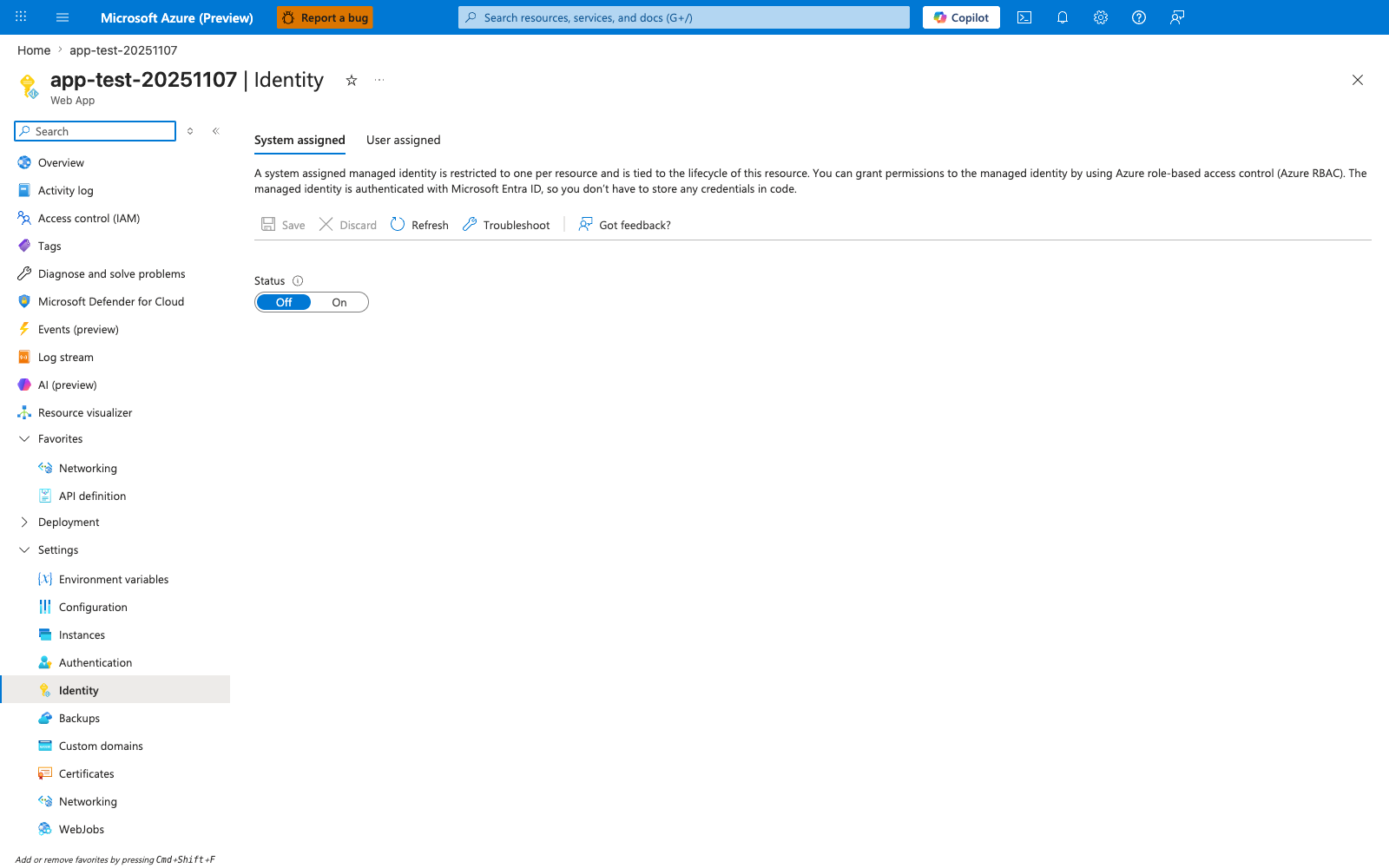
This Identity blade is relevant only if you extend this recipe from the default key-based COSMOS_KEY configuration to the optional managed-identity/RBAC path mentioned in the introduction. With System assigned active and the Status toggle moved from Off to On, App Service generates an Entra ID principal that you would then grant the Cosmos Built-in Data Contributor role to via az cosmosdb sql role assignment create. The descriptive header restates the lifecycle guarantee: the identity is tied to the App Service resource, so it disappears when the app is deleted. For the recipe's default flow, keep using the COSMOS_KEY app setting and the Spring Data Cosmos auto-configuration with @Container-annotated entities shown above.