Azure SQL with Managed Identity
Connect Spring Boot to Azure SQL Database using passwordless authentication through Managed Identity and Microsoft Entra tokens.
Prerequisites
- App Service app with system-assigned managed identity enabled
- Azure SQL server + database already created
- Entra admin configured on SQL server
- Network access configured (public firewall or private endpoint)
Main Content
Architecture pattern
flowchart TD
    A[Spring Boot on App Service] --> B[Microsoft Entra token]
    B --> C[Azure SQL JDBC]
    C --> D[Azure SQL Database]
    A -.identity.-> E[System Assigned Managed Identity]
Maven dependencies (pom.xml)
Add JDBC + Azure Identity components:
<dependencies>
  <dependency>
    <groupId>org.springframework.boot</groupId>
    <artifactId>spring-boot-starter-jdbc</artifactId>
  </dependency>
  <dependency>
    <groupId>com.microsoft.sqlserver</groupId>
    <artifactId>mssql-jdbc</artifactId>
    <version>12.6.1.jre11</version>
  </dependency>
  <dependency>
    <groupId>com.azure</groupId>
    <artifactId>azure-identity</artifactId>
    <version>1.12.2</version>
  </dependency>
</dependencies>
Application configuration (application.properties)
Use SQL JDBC URL with Entra authentication mode:
spring.datasource.url=jdbc:sqlserver://<sql-server>.database.windows.net:1433;database=<db-name>;encrypt=true;hostNameInCertificate=*.database.windows.net;loginTimeout=30;authentication=ActiveDirectoryManagedIdentity
spring.datasource.driver-class-name=com.microsoft.sqlserver.jdbc.SQLServerDriver
spring.datasource.hikari.maximum-pool-size=5
spring.datasource.hikari.minimum-idle=1
Managed Identity auth mode
authentication=ActiveDirectoryManagedIdentity lets the JDBC driver obtain tokens using the hosting identity. No DB password is required.
Optional token acquisition with DefaultAzureCredential
For explicit token flow (advanced/custom datasource scenarios):
import com.azure.core.credential.AccessToken;
import com.azure.core.credential.TokenRequestContext;
import com.azure.identity.DefaultAzureCredentialBuilder;

TokenRequestContext context = new TokenRequestContext()
    .addScopes("https://database.windows.net/.default");

AccessToken token = new DefaultAzureCredentialBuilder()
    .build()
    .getToken(context)
    .block();
Grant SQL access to managed identity
- Get principal ID:
az webapp identity show \
  --resource-group "$RG" \
  --name "$APP_NAME" \
  --query principalId \
  --output tsv
- In SQL database (connected as Entra admin), create contained user:
CREATE USER [app-identity-name] FROM EXTERNAL PROVIDER;
ALTER ROLE db_datareader ADD MEMBER [app-identity-name];
ALTER ROLE db_datawriter ADD MEMBER [app-identity-name];
- If least privilege is required, grant only needed schema/table permissions.
Set app settings for environment-specific JDBC URL
az webapp config appsettings set \
  --resource-group "$RG" \
  --name "$APP_NAME" \
  --settings \
    SPRING_DATASOURCE_URL="jdbc:sqlserver://<sql-server>.database.windows.net:1433;database=<db-name>;encrypt=true;hostNameInCertificate=*.database.windows.net;loginTimeout=30;authentication=ActiveDirectoryManagedIdentity" \
  --output json
Minimal health query endpoint pattern
@GetMapping("/api/sql/ping")
public Map<String, Object> sqlPing(JdbcTemplate jdbcTemplate) {
    Integer one = jdbcTemplate.queryForObject("SELECT 1", Integer.class);
    return Map.of("status", "ok", "value", one);
}
Do not use SQL logins by default
Avoid embedding SQL usernames/passwords in App Settings unless required for legacy migration phases.
Platform architecture
For platform architecture details, see Platform: How App Service Works.
Verification
- Deploy app with dependency and config updates
- Call SQL health endpoint (for example
/api/sql/ping) - Confirm successful query response
- Confirm no password exists in app configuration
Troubleshooting
Login failed for token-identified principal
Managed identity exists in Entra but not inside the database. Recreate user from external provider in the target DB.
Connection timeout
Validate network path: SQL firewall, private endpoint DNS, VNet integration route, and NSG rules.
Driver authentication error
Ensure mssql-jdbc version supports managed identity auth and authentication=ActiveDirectoryManagedIdentity is present.
Run It in the Portal
Portal view: Identity blade (managed identity enabled for Azure SQL access)
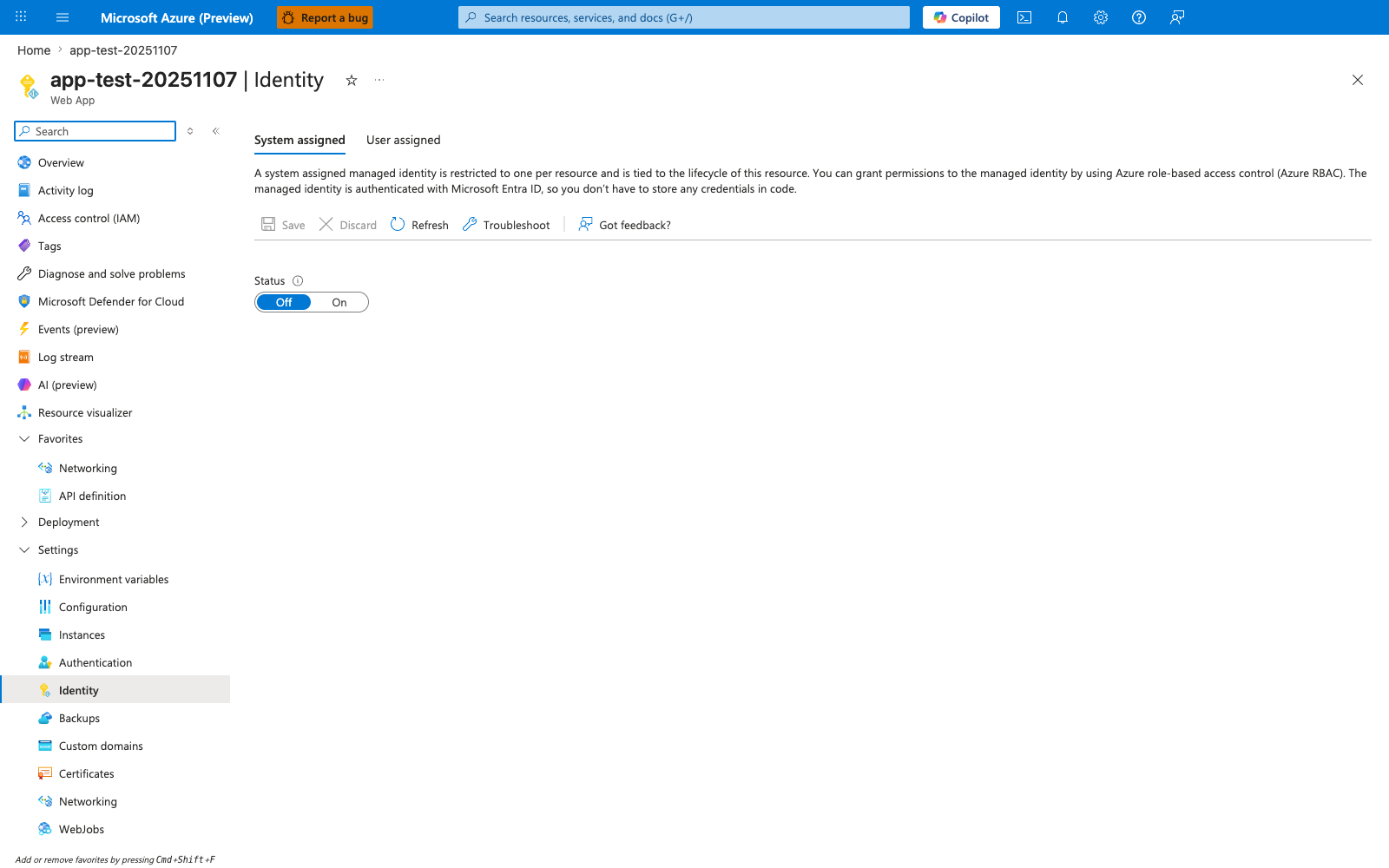
The Identity blade is the Portal entry point for the managed-identity flow this recipe uses to connect to Azure SQL with authentication=ActiveDirectoryManagedIdentity instead of a stored password. With the System assigned tab selected and the Status toggle flipped from Off to On, App Service creates the Entra-backed identity that the SQL statements earlier in the recipe grant access to with CREATE USER ... FROM EXTERNAL PROVIDER and ALTER ROLE db_datareader/db_datawriter ADD MEMBER. Use this blade as the first verification step for the recipe before testing the passwordless JdbcTemplate connection from the Spring Boot app.