.NET Tutorial
Follow this 7-step path to build, deploy, configure, observe, automate, and secure an ASP.NET Core app on Azure App Service.
Prerequisites
- .NET 8 SDK
- Azure CLI
- Visual Studio Code or Visual Studio
Tutorial flow
flowchart TD
    A[01 Local Run] --> B[02 First Deploy]
    B --> C[03 Configuration]
    C --> D[04 Logging & Monitoring]
    D --> E[05 Infrastructure as Code]
    E --> F[06 CI/CD]
    F --> G[07 Custom Domain & SSL]
Step map
| Step | Tutorial | Link | Outcome |
|---|---|---|---|
| 01 | Local run | 01-local-run.md | Verify the app runs locally |
| 02 | First deploy | 02-first-deploy.md | Publish to App Service |
| 03 | Configuration | 03-configuration.md | Set app settings and runtime config |
| 04 | Logging & monitoring | 04-logging-monitoring.md | Add diagnostics and telemetry |
| 05 | Infrastructure as Code | 05-infrastructure-as-code.md | Provision with Bicep/Terraform |
| 06 | CI/CD | 06-ci-cd.md | Automate builds and deployment |
| 07 | Custom domain & SSL | 07-custom-domain-ssl.md | Secure the app with custom domain and TLS |
Run It in the Portal
Portal view: App Service Web App overview (tutorial destination blade)
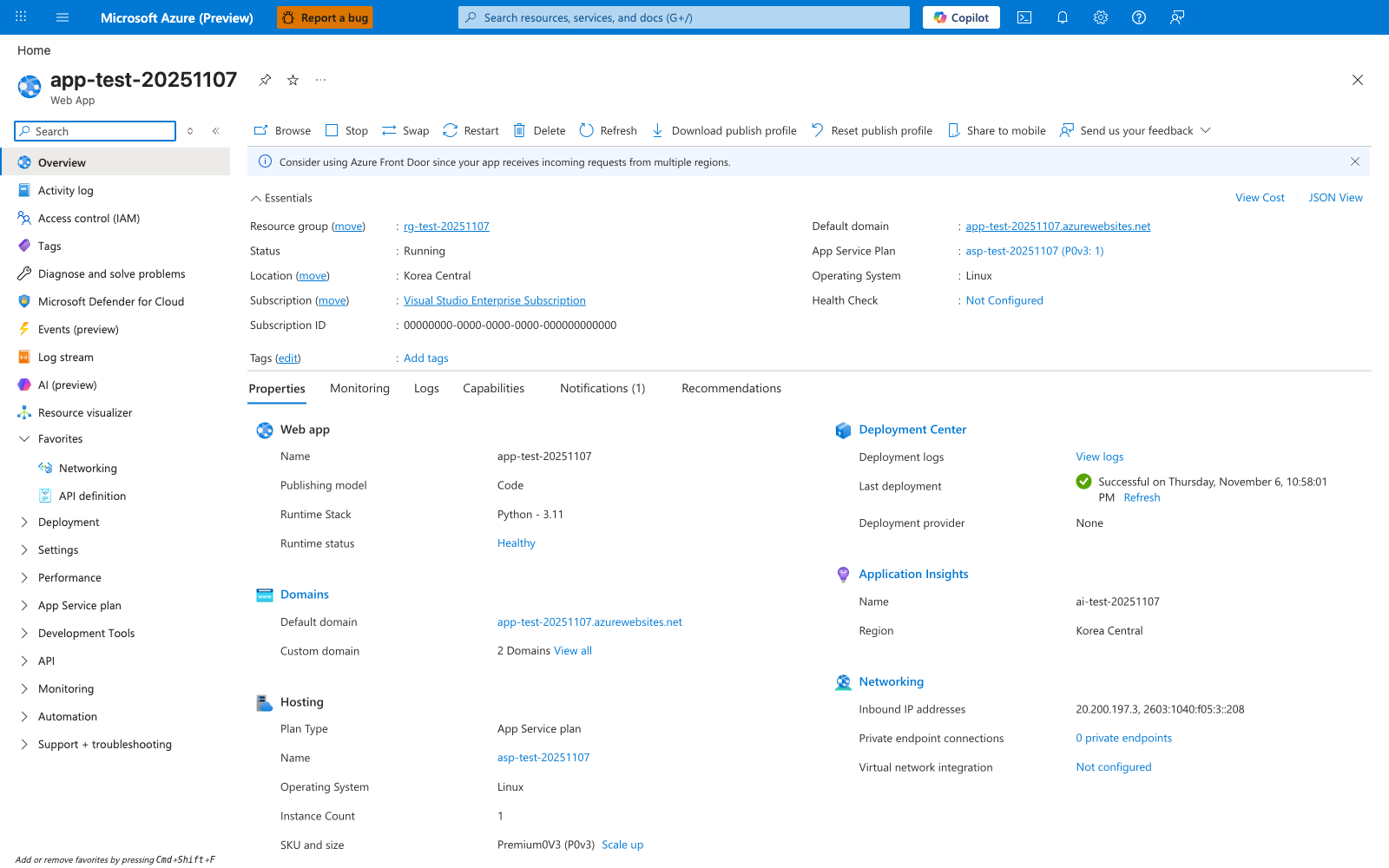
The Web App Overview blade is the Portal destination this tutorial works toward. This particular screenshot was captured from a Python deployment, so the visible Operating System: Linux and Runtime Stack: Python - 3.11 reflect that deployment; for the ASP.NET Core 8 path in this tutorial the equivalent values read Windows and .NET 8 because the guide uses --runtime "DOTNETCORE:8.0" on a Windows App Service plan. The remaining Essentials fields — Status: Running, Default domain, the attached App Service Plan, Plan Type: App Service plan — and the Hosting, Deployment Center, Application Insights, and Networking summaries are the same OS-agnostic surfaces you use to verify each tutorial step.