Redis Cache
Use Azure Cache for Redis with ASP.NET Core 8 for distributed caching and session state, including TLS-first configuration for production.
flowchart TD
    A[Set Redis connection setting] --> B[Register IDistributedCache]
    B --> C[Read or write cache keys]
    C --> D[Redis TLS endpoint]
D --> E[Verify cache hit ratio]Prerequisites
- Azure Cache for Redis instance provisioned
- App Service can reach Redis endpoint (public or private networking)
Microsoft.Extensions.Caching.StackExchangeRedispackage installed
Main content
1) Add package
<ItemGroup>
  <PackageReference Include="Microsoft.Extensions.Caching.StackExchangeRedis" Version="8.0.4" />
</ItemGroup>
2) Configure Redis connection setting
az webapp config appsettings set \
  --resource-group "$RESOURCE_GROUP_NAME" \
  --name "$WEB_APP_NAME" \
  --settings Redis__Connection="<redis-name>.redis.cache.windows.net:6380,password=<masked>,ssl=True,abortConnect=False" \
  --output json
Prefer Key Vault references for the password value.
3) Register IDistributedCache
using Microsoft.Extensions.Caching.StackExchangeRedis;

builder.Services.AddStackExchangeRedisCache(options =>
{
    options.Configuration = builder.Configuration["Redis:Connection"]
        ?? throw new InvalidOperationException("Redis connection not configured.");
    options.InstanceName = "GuideApi:";
});
4) Cache usage example
[ApiController]
[Route("api/cache")]
public sealed class CacheController : ControllerBase
{
    private readonly IDistributedCache _cache;
    public CacheController(IDistributedCache cache) => _cache = cache;

    [HttpGet("{key}")]
    public async Task<IActionResult> Get(string key, CancellationToken cancellationToken)
    {
        var value = await _cache.GetStringAsync(key, cancellationToken);
        return Ok(new { key, value = value ?? "<null>" });
    }

    [HttpPost("{key}")]
    public async Task<IActionResult> Set(string key, [FromBody] string value, CancellationToken cancellationToken)
    {
        var options = new DistributedCacheEntryOptions
        {
            AbsoluteExpirationRelativeToNow = TimeSpan.FromMinutes(10)
        };

        await _cache.SetStringAsync(key, value, options, cancellationToken);
        return Accepted(new { key, value });
    }
}
5) Session store setup
builder.Services.AddSession(options =>
{
    options.Cookie.Name = ".GuideApi.Session";
    options.IdleTimeout = TimeSpan.FromMinutes(20);
    options.Cookie.HttpOnly = true;
    options.Cookie.SecurePolicy = CookieSecurePolicy.Always;
});

app.UseSession();
6) TLS and reliability recommendations
- Use port
6380withssl=True - Use
abortConnect=Falsefor resilient startup - Keep Redis timeout and retry behavior aligned with workload
Do not disable TLS in production
Azure Redis should always use encrypted transport. Never expose plaintext Redis credentials in source files.
7) Azure DevOps setting update snippet
- task: AzureAppServiceSettings@1
  inputs:
    azureSubscription: $(azureSubscription)
    appName: $(webAppName)
    resourceGroupName: $(resourceGroupName)
    appSettings: |
      [
        { "name": "Redis__Connection", "value": "@Microsoft.KeyVault(SecretUri=https://<vault>.vault.azure.net/secrets/redis-connection/<version>)", "slotSetting": true }
      ]
Verification
curl --request POST "https://$WEB_APP_NAME.azurewebsites.net/api/cache/demo-key" \
  --header "Content-Type: application/json" \
  --data '"demo-value"'

curl --silent "https://$WEB_APP_NAME.azurewebsites.net/api/cache/demo-key"
Expect value to round-trip and persist across scaled-out instances.
Troubleshooting
Timeout connecting to Redis
- Confirm endpoint, port, and credential format.
- Validate NSG/firewall/private endpoint route.
- Test connectivity from Kudu console if needed.
Cache misses unexpectedly high
- Check key naming consistency and expiration policy.
- Confirm app instances share same Redis connection.
- Validate no unintended
InstanceNamechange between deployments.
Session not persisting
- Ensure
UseSession()is in middleware pipeline. - Confirm distributed cache registration occurs before session setup.
Run It in the Portal
Portal view: Identity blade (optional Microsoft Entra authentication path)
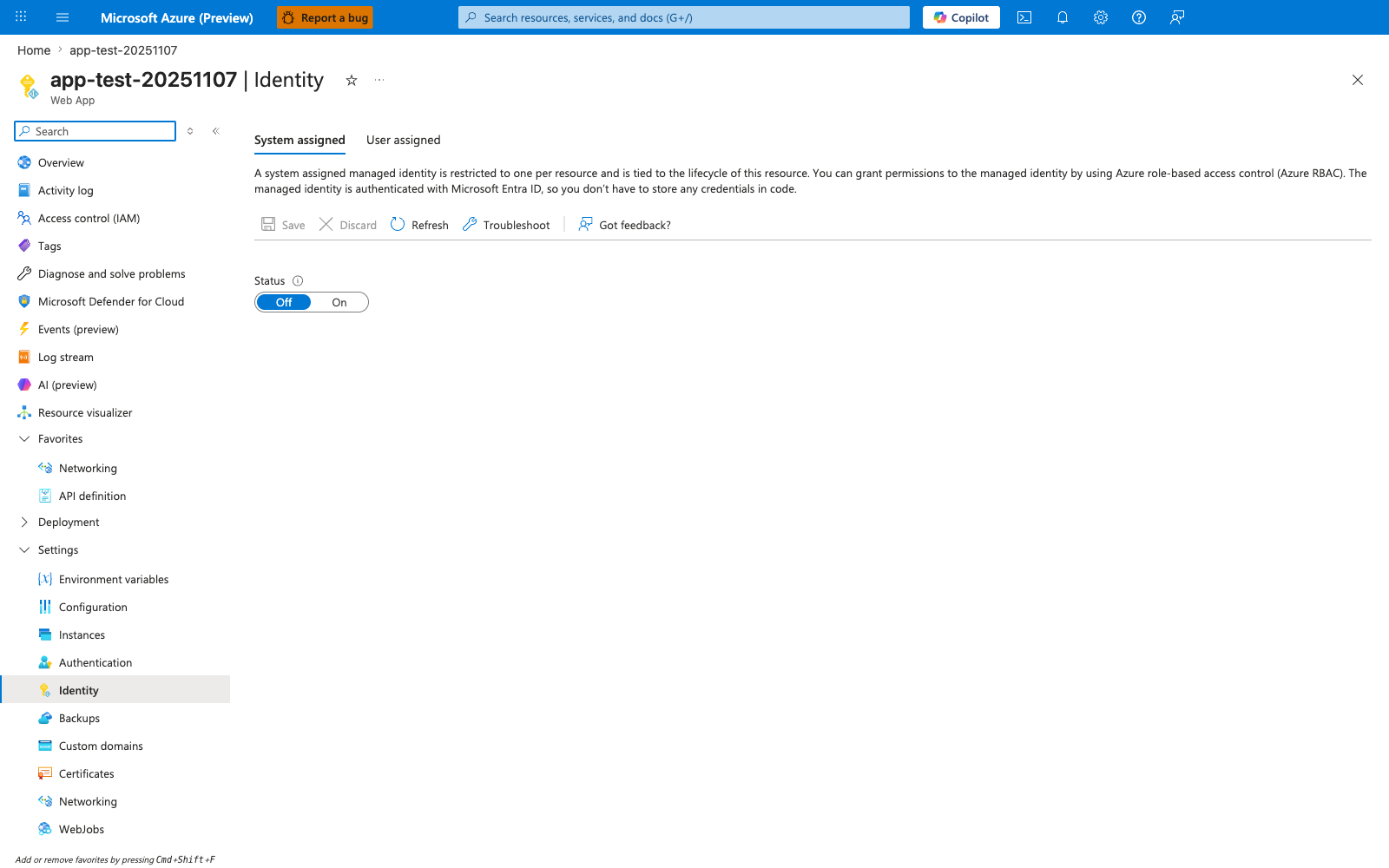
The Identity blade shown here is an optional extension point, not part of the default flow on this page. The recipe above uses the Redis__Connection app setting with Microsoft.Extensions.Caching.StackExchangeRedis, while this screenshot shows the System assigned identity surface in its current Off state. If you later adopt an identity-based Redis authentication pattern, this is the blade where the app identity would be enabled first.
See Also
- Private Endpoints
- Key Vault References
- For platform details, see Azure App Service Guide