Easy Auth
Protect your ASP.NET Core app with Azure App Service built-in authentication (Easy Auth), and consume identity claims from platform-injected headers.
sequenceDiagram
    participant U as User
    participant EA as Easy Auth
    participant IDP as Entra ID
    participant API as ASP.NET Core API
    U->>EA: Request protected route
    EA->>IDP: Authenticate user
    IDP-->>EA: Token + claims
    EA->>API: Forward with X-MS-CLIENT-PRINCIPAL
API-->>U: Authorized responsePrerequisites
- App Service app deployed
- Microsoft Entra app registration available
- Authentication/authorization permissions in Azure portal
Main content
1) Enable App Service authentication
Configure Easy Auth with Entra ID as identity provider (portal or CLI).
az webapp auth update \
  --resource-group "$RESOURCE_GROUP_NAME" \
  --name "$WEB_APP_NAME" \
  --enabled true \
  --action LoginWithAzureActiveDirectory \
  --output json
2) Require authentication globally
Set unauthenticated requests to be challenged instead of anonymous access.
az webapp auth update \
  --resource-group "$RESOURCE_GROUP_NAME" \
  --name "$WEB_APP_NAME" \
  --action LoginWithAzureActiveDirectory \
  --output json
3) Read X-MS-CLIENT-PRINCIPAL header
Easy Auth injects user identity information in headers. Parse it safely:
using System.Text;
using System.Text.Json;

public sealed record EasyAuthPrincipal(string UserId, string UserDetails, List<EasyAuthClaim> Claims);
public sealed record EasyAuthClaim(string Typ, string Val);

static EasyAuthPrincipal? ParsePrincipal(HttpRequest request)
{
    if (!request.Headers.TryGetValue("X-MS-CLIENT-PRINCIPAL", out var raw)) return null;
    var bytes = Convert.FromBase64String(raw!);
    var json = Encoding.UTF8.GetString(bytes);
    return JsonSerializer.Deserialize<EasyAuthPrincipal>(json);
}
4) Bridge to ClaimsPrincipal middleware
app.Use(async (context, next) =>
{
    var principalHeader = context.Request.Headers["X-MS-CLIENT-PRINCIPAL"].ToString();
    if (!string.IsNullOrWhiteSpace(principalHeader))
    {
        // Parse and map claims if your app needs unified claims-based authorization.
        // Keep this logic centralized in middleware or a dedicated service.
    }

    await next();
});
5) Protect API endpoints
[ApiController]
[Route("api/profile")]
public sealed class ProfileController : ControllerBase
{
    [HttpGet]
    public IActionResult Get()
    {
        var principal = ParsePrincipal(Request);
        if (principal is null)
        {
            return Unauthorized(new { error = "principal header missing" });
        }

        return Ok(new
        {
            principal.UserId,
            principal.UserDetails,
            claimCount = principal.Claims.Count
        });
    }
}
6) Token forwarding and validation notes
- Easy Auth can manage provider tokens and session cookies.
- For downstream APIs, request and validate tokens explicitly where required.
- Do not trust identity headers from public traffic unless they are injected by App Service front end.
7) Azure DevOps release check snippet
- task: AzureCLI@2
  displayName: Validate Easy Auth configuration
  inputs:
    azureSubscription: $(azureSubscription)
    scriptType: bash
    scriptLocation: inlineScript
    inlineScript: |
      az webapp auth show \
        --resource-group $(resourceGroupName) \
        --name $(webAppName) \
        --output table
Header spoofing risk
Never expose your app directly behind a proxy that allows arbitrary inbound X-MS-* headers. Restrict trusted front ends and validate deployment architecture.
Verification
- Browse
https://<app>.azurewebsites.net/api/profile. - Confirm redirect to sign-in when unauthenticated.
- Confirm profile payload after successful login.
You can inspect header presence in app logs for debugging (without dumping sensitive values).
Troubleshooting
Redirect loop
- Verify redirect URI in Entra app registration.
- Check custom domain callback settings if using non-default hostnames.
X-MS-CLIENT-PRINCIPAL missing
- Confirm Easy Auth is enabled and requests go through App Service front end.
- Ensure endpoint is not bypassing authentication configuration.
Authorization logic mismatch
Normalize claim type mapping and case sensitivity in one place.
Run It in the Portal
Portal view: Authentication blade (empty state - Easy Auth entry point)
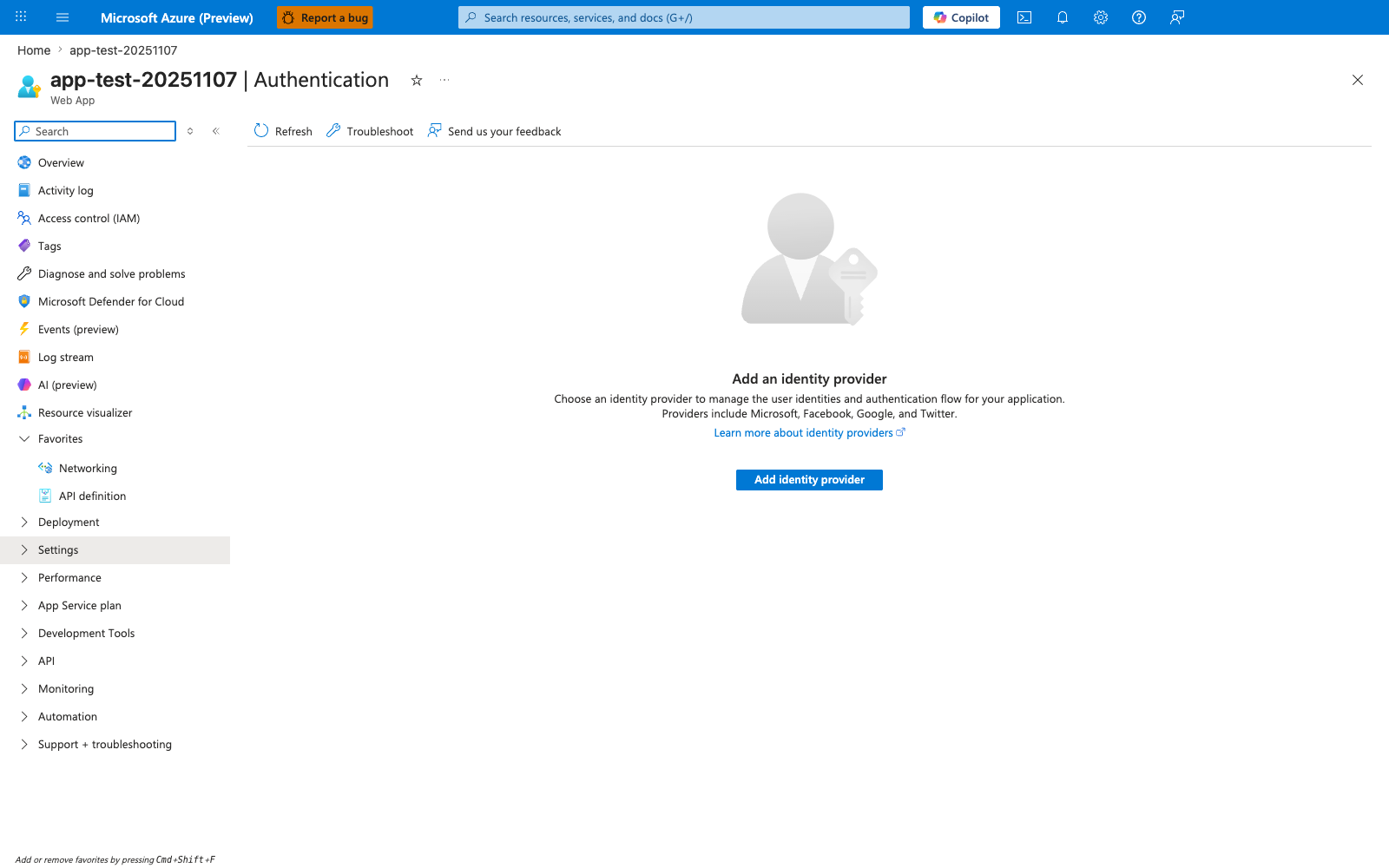
The Authentication blade in its empty state is the Portal entry point this recipe uses to enable Easy Auth for the ASP.NET Core app. The visible Add identity provider action and provider list — Microsoft, Apple, Facebook, GitHub, Google, Twitter, and OpenID Connect — match the prerequisite on this page that an identity provider be configured before the .NET app can rely on forwarded X-MS-* headers. Use this blade as the setup and verification surface for the recipe before testing that authenticated requests reach the ASP.NET Core API with X-MS-CLIENT-PRINCIPAL present.
See Also
- Managed Identity
- Deployment Slots Validation
- For platform details, see Azure App Service Guide