Cosmos DB
Integrate Azure Cosmos DB (NoSQL) with ASP.NET Core 8 using the Microsoft.Azure.Cosmos SDK and production-safe client lifecycle patterns.
flowchart TD
    A[Set Cosmos endpoint and database settings] --> B[Create singleton CosmosClient]
    B --> C[Resolve container]
    C --> D[Run CRUD with partition key]
D --> E[Monitor RU and latency]Prerequisites
- Azure Cosmos DB account, database, and container created
- App Service app with access to Cosmos endpoint and credentials or RBAC
- Familiarity with partition keys and RU-based throughput
Main content
1) Add NuGet package
2) Configuration model
Set configuration values in App Settings:
az webapp config appsettings set \
  --resource-group "$RESOURCE_GROUP_NAME" \
  --name "$WEB_APP_NAME" \
  --settings Cosmos__Endpoint="https://<cosmos-account>.documents.azure.com:443/" Cosmos__Database="GuideDb" Cosmos__Container="Items" \
  --output json
Store keys in Key Vault or use managed identity with RBAC where available.
3) Register singleton CosmosClient
using Microsoft.Azure.Cosmos;

builder.Services.AddSingleton(serviceProvider =>
{
    var configuration = serviceProvider.GetRequiredService<IConfiguration>();
    var endpoint = configuration["Cosmos:Endpoint"] ?? throw new InvalidOperationException("Cosmos endpoint missing.");
    var key = configuration["Cosmos:Key"] ?? throw new InvalidOperationException("Cosmos key missing.");

    var options = new CosmosClientOptions
    {
        ConnectionMode = ConnectionMode.Direct,
        SerializerOptions = new CosmosSerializationOptions { PropertyNamingPolicy = CosmosPropertyNamingPolicy.CamelCase }
    };

    return new CosmosClient(endpoint, key, options);
});
4) Define model and repository
public sealed class CatalogItem
{
    public string Id { get; init; } = Guid.NewGuid().ToString("N");
    public string Category { get; init; } = "general"; // partition key
    public string Name { get; init; } = string.Empty;
    public decimal Price { get; init; }
}

public sealed class CatalogRepository
{
    private readonly Container _container;

    public CatalogRepository(CosmosClient client, IConfiguration configuration)
    {
        var databaseName = configuration["Cosmos:Database"]!;
        var containerName = configuration["Cosmos:Container"]!;
        _container = client.GetContainer(databaseName, containerName);
    }

    public Task<ItemResponse<CatalogItem>> CreateAsync(CatalogItem item, CancellationToken cancellationToken)
        => _container.CreateItemAsync(item, new PartitionKey(item.Category), cancellationToken: cancellationToken);
}
5) CRUD controller example
[ApiController]
[Route("api/catalog")]
public sealed class CatalogController : ControllerBase
{
    private readonly CatalogRepository _repository;
    public CatalogController(CatalogRepository repository) => _repository = repository;

    [HttpPost]
    public async Task<IActionResult> Create([FromBody] CatalogItem item, CancellationToken cancellationToken)
    {
        var response = await _repository.CreateAsync(item, cancellationToken);
        return Created($"/api/catalog/{response.Resource.Id}", response.Resource);
    }
}
6) Monitor RU and latency
Inspect request charge in application logs:
7) Azure DevOps config injection snippet
- task: AzureAppServiceSettings@1
  inputs:
    azureSubscription: $(azureSubscription)
    appName: $(webAppName)
    resourceGroupName: $(resourceGroupName)
    appSettings: |
      [
        { "name": "Cosmos__Endpoint", "value": "https://<cosmos-account>.documents.azure.com:443/", "slotSetting": false },
        { "name": "Cosmos__Database", "value": "GuideDb", "slotSetting": true },
        { "name": "Cosmos__Container", "value": "Items", "slotSetting": true }
      ]
Keep CosmosClient singleton
Creating CosmosClient per request causes socket churn and latency. Register a single client instance for the app lifetime.
Verification
curl --request POST "https://$WEB_APP_NAME.azurewebsites.net/api/catalog" \
  --header "Content-Type: application/json" \
  --data '{"category":"books","name":"Cloud Patterns","price":39.99}'
Validate item exists in Cosmos Data Explorer and check App Insights dependency telemetry for Cosmos calls.
Troubleshooting
401 or 403 from Cosmos
- Validate key or RBAC permissions.
- Confirm endpoint and account name are correct.
- Ensure firewall/private network rules allow app connectivity.
High RU consumption
- Revisit partition key choice.
- Use point reads over cross-partition queries when possible.
- Add selective indexing policy.
Serialization mismatch
Align CLR naming and JSON policy; use explicit attributes when integrating with pre-existing document schema.
Run It in the Portal
Portal view: Identity blade (system-assigned identity for Cosmos DB RBAC)
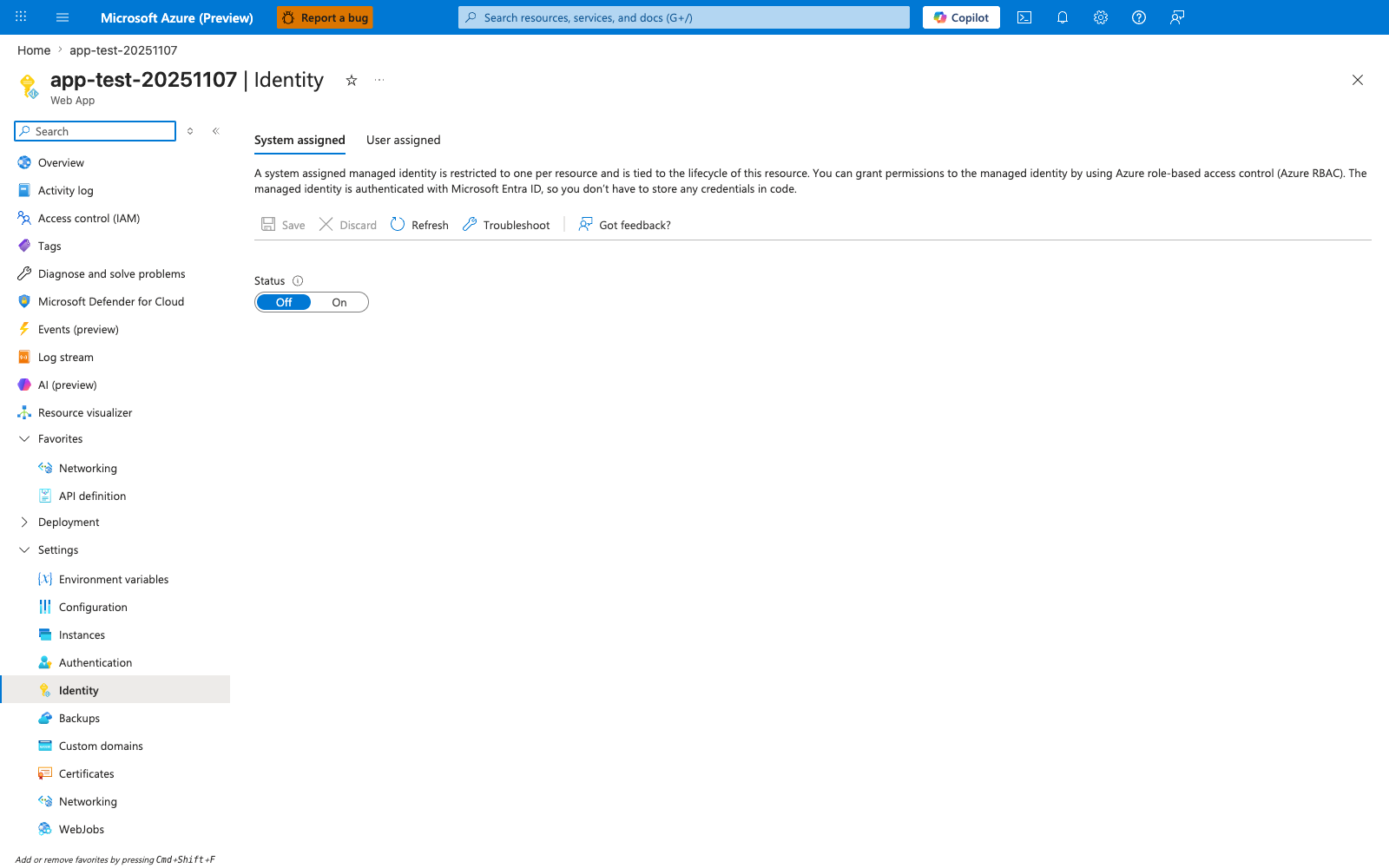
This Identity blade is the Portal starting point for the Cosmos DB recipe's managed-identity option from the ASP.NET Core app. With System assigned active and the Status toggle moved from Off to On, App Service generates an Entra ID principal that you can then grant the Cosmos Built-in Data Contributor role to via az cosmosdb sql role assignment create. The descriptive header restates the lifecycle guarantee the recipe relies on: the identity is tied to the App Service resource, so it disappears when the app is deleted. Use this blade to confirm the identity is enabled before taking the RBAC path mentioned in the recipe.
See Also
- Managed Identity
- Private Endpoints
- For platform details, see Azure App Service Guide