.NET Guide
This guide covers the end-to-end path for running ASP.NET Core applications on Azure App Service.
Main Content
flowchart TD
    A[01 Local Run] --> B[02 First Deploy]
    B --> C[03 Configuration]
    C --> D[04 Logging & Monitoring]
    D --> E[05 Infrastructure as Code]
    E --> F[06 CI/CD]
F --> G[07 Custom Domain & SSL]- 01 - Local Run
- 02 - First Deploy
- 03 - Configuration
- 04 - Logging and Monitoring
- 05 - Infrastructure as Code
- 06 - CI/CD
- 07 - Custom Domain and SSL
Advanced Topics
Use .NET recipes to apply identity, data, networking, and deployment patterns.
Run It in the Portal
Portal view: App Service Plan overview (hosting tier for the .NET guide)
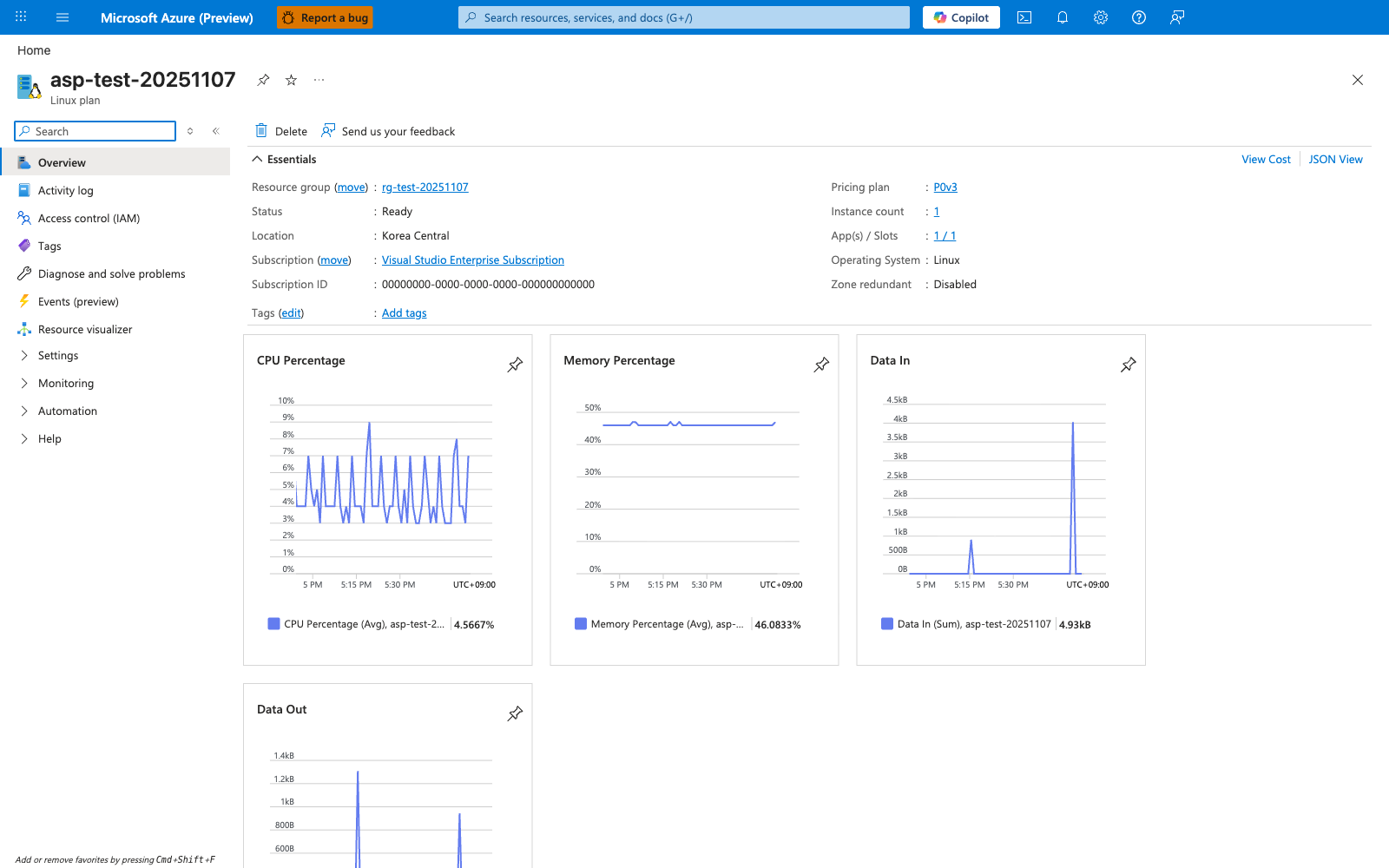
The App Service Plan overview blade is the Portal view of the hosting tier this .NET guide deploys onto. This particular screenshot was captured from a Python deployment, so the visible App Service Plan kind: Linux and Operating system: Linux reflect that deployment; for the ASP.NET Core 8 path in this guide the equivalent values read Windows because the .NET tutorial uses --runtime "DOTNETCORE:8.0" on a Windows App Service plan. The remaining plan-level fields — Pricing tier: Premium0 V3, Status: Ready, the instance count, and the right-side CPU Percentage / Memory Percentage charts — are the same surfaces you use to verify plan health regardless of OS, along with the hosted-apps list showing app-test-20251107 and its staging slot attached to the same plan.